IDS · SOURCE OPEN-AVAILABLE · 4 PROJECTS

Open files.

The public shelf of the IDS, the folder standard every Sanchez Labs project lives in. Real CAD, real source, real results, and each project carries its license with it, so you know what you can do before you download.

Browse the 4 projects ↓

What is public

Every project in the IDS sits in one place: scope, then tier, then category. Only the SOURCE OPEN-AVAILABLE tiers leave the building, and this page is built straight from that mirror, so it always matches what is published.

4 projects (2 hardware, 2 software) · mirror updated 2026-10-01

Files, with licenses

Photos, what each project is, where it stands, and every file in every revision. Open revisions (o) are current; closed ones (c) are kept for the record.

aero-flip

PROFESSIONAL LAB RELATED / CONDITIONALHARDWARE

Source available with conditions. Free to use and build for noncommercial work; read the license first. 1 revision

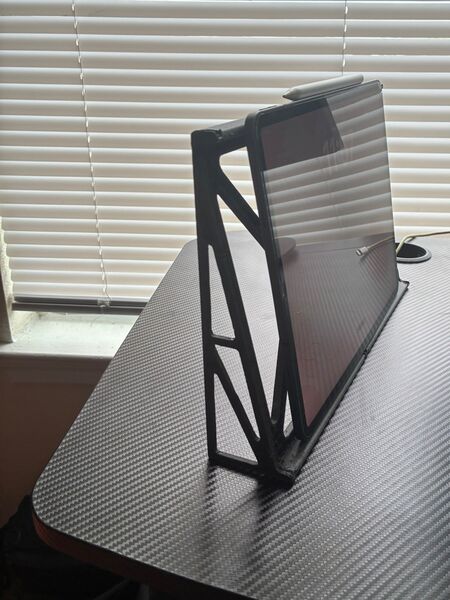
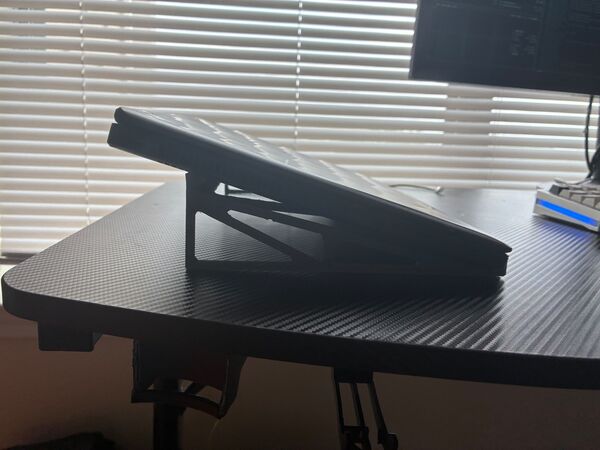
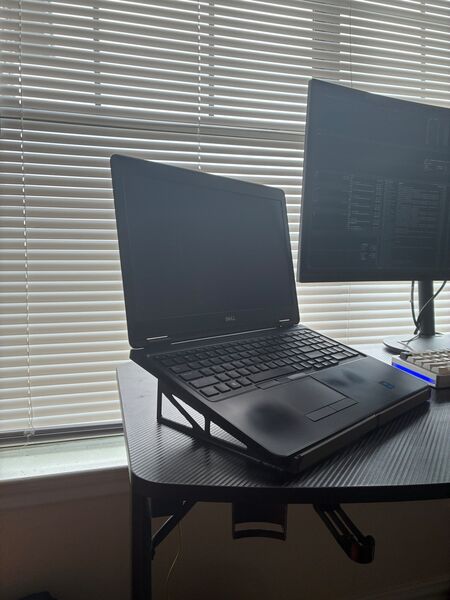
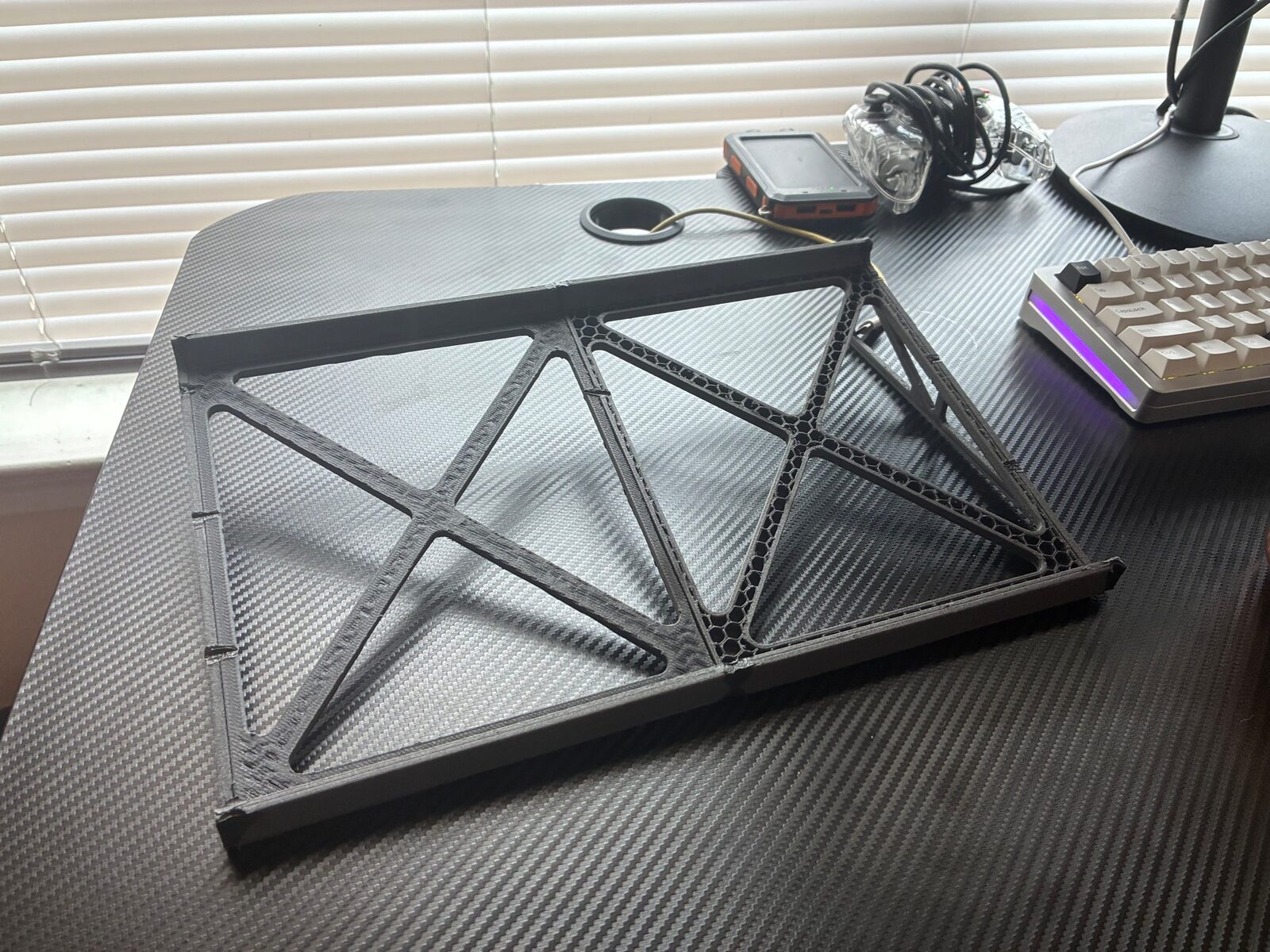
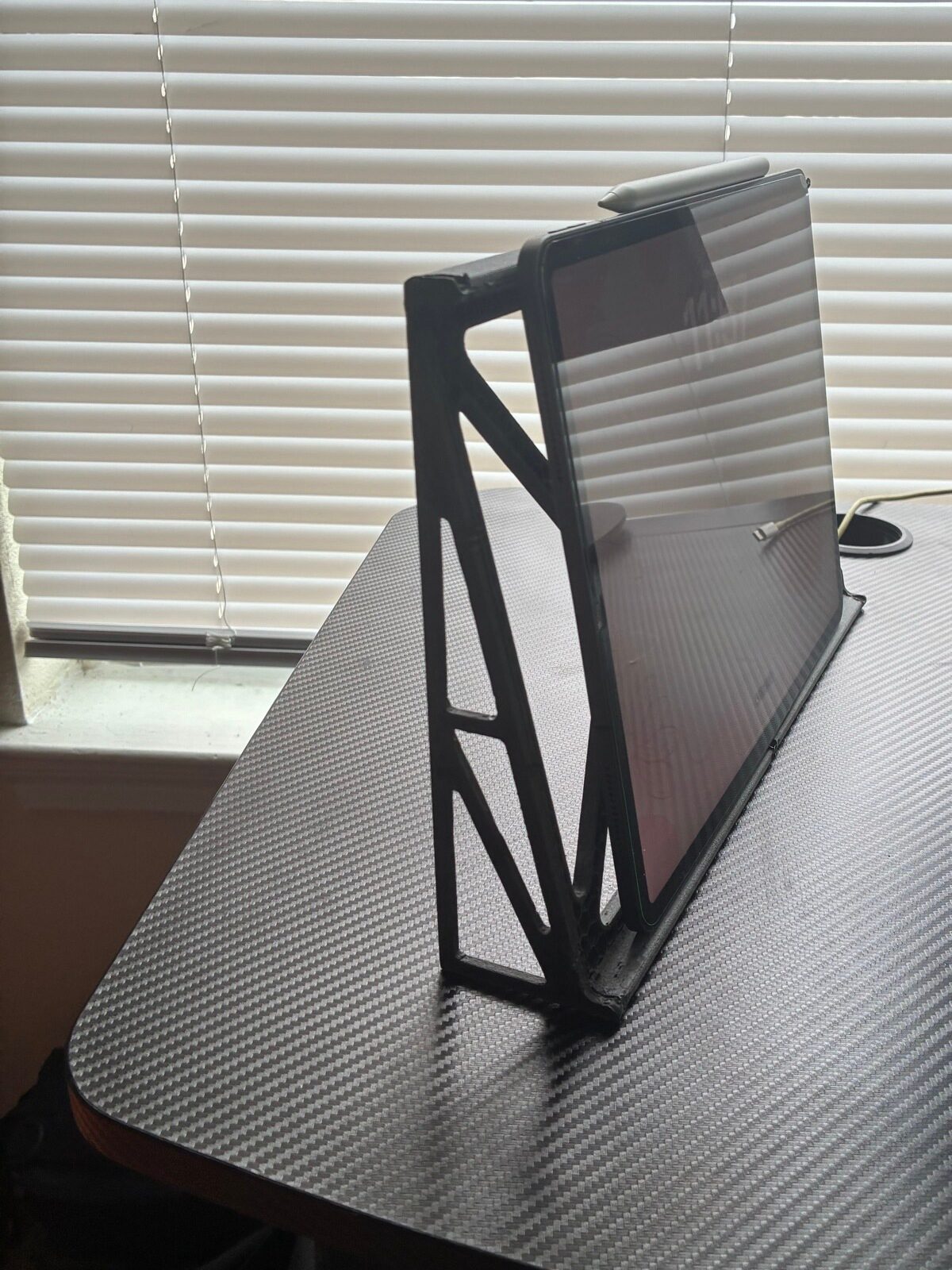
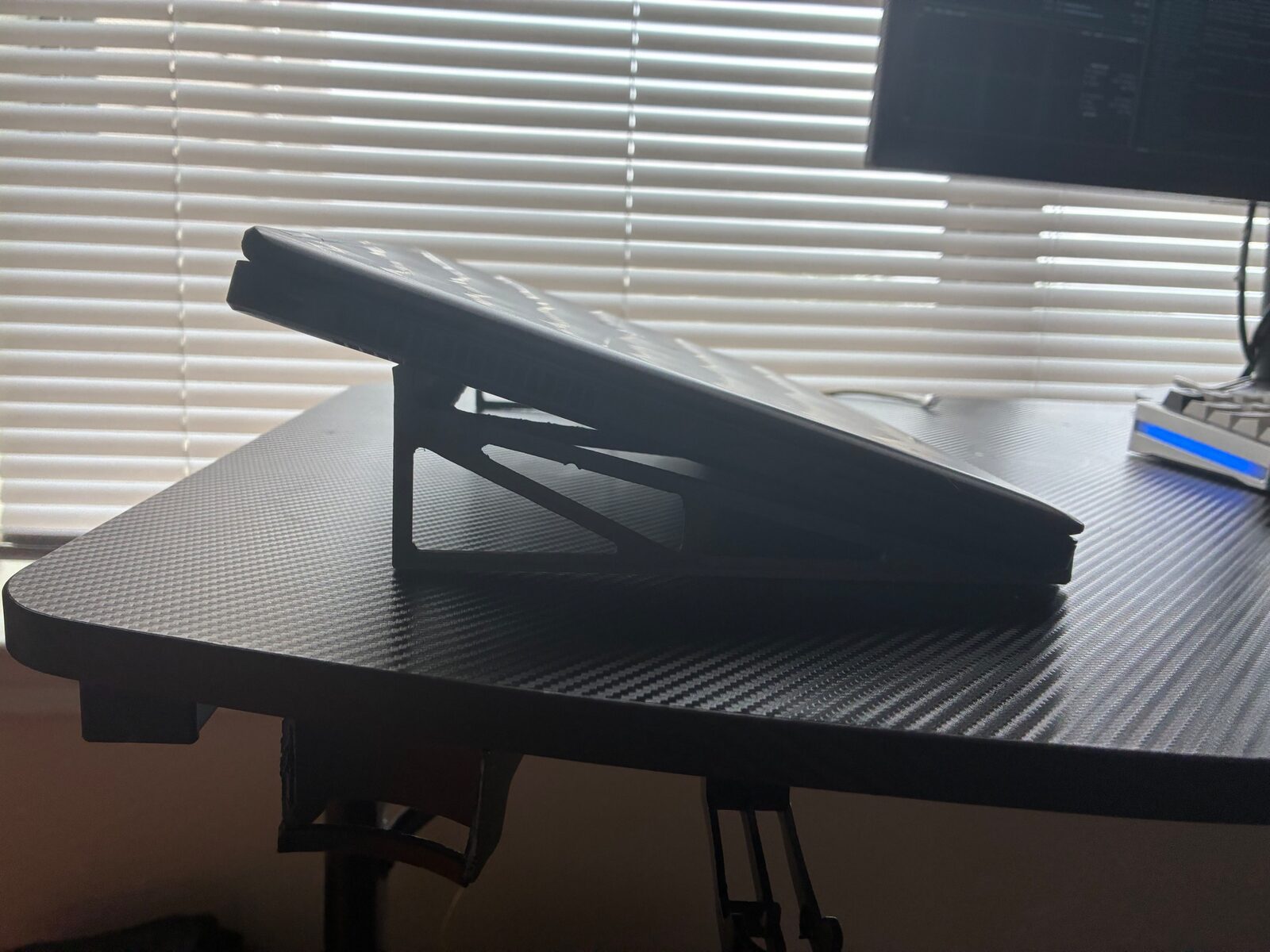
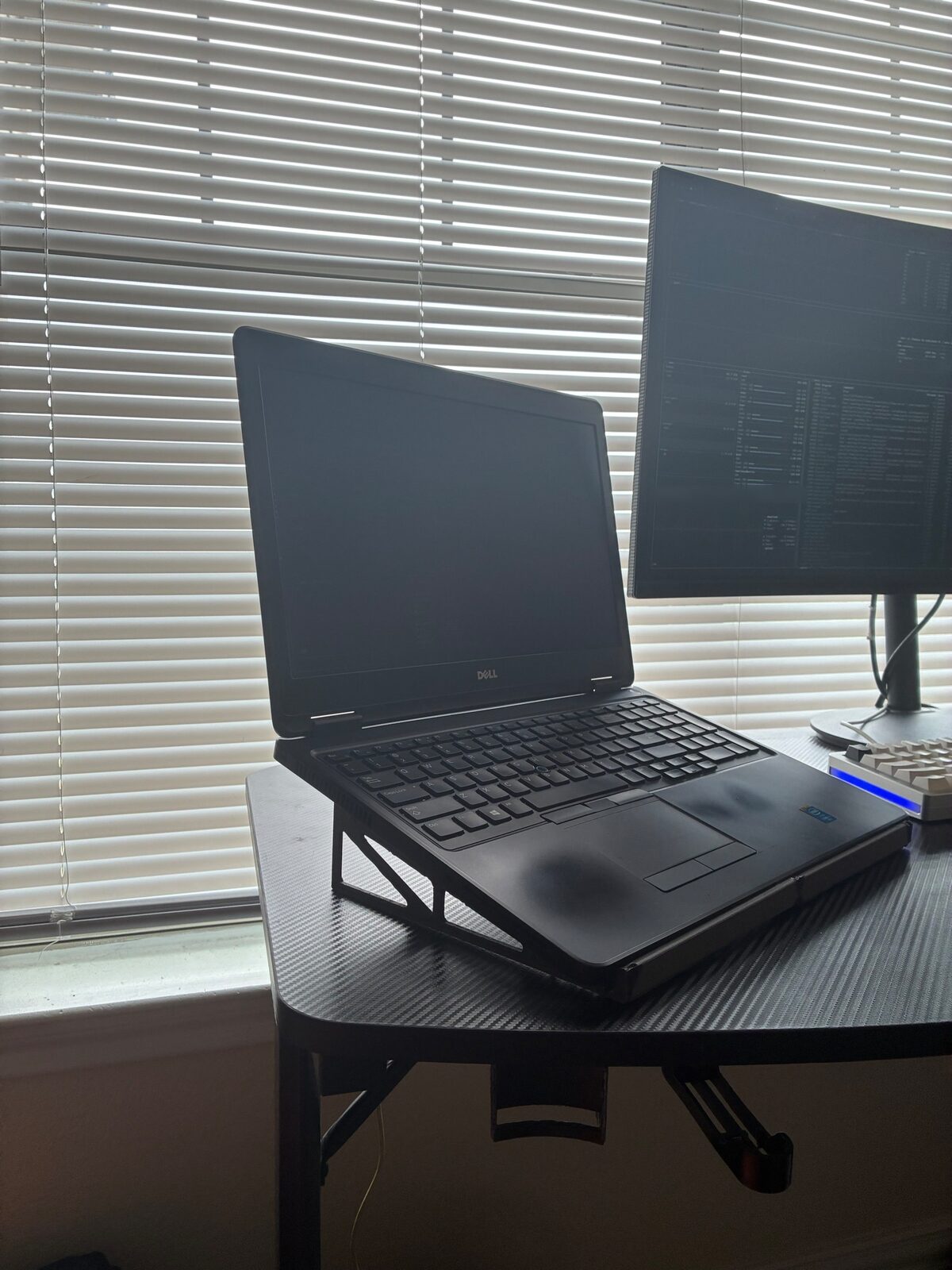
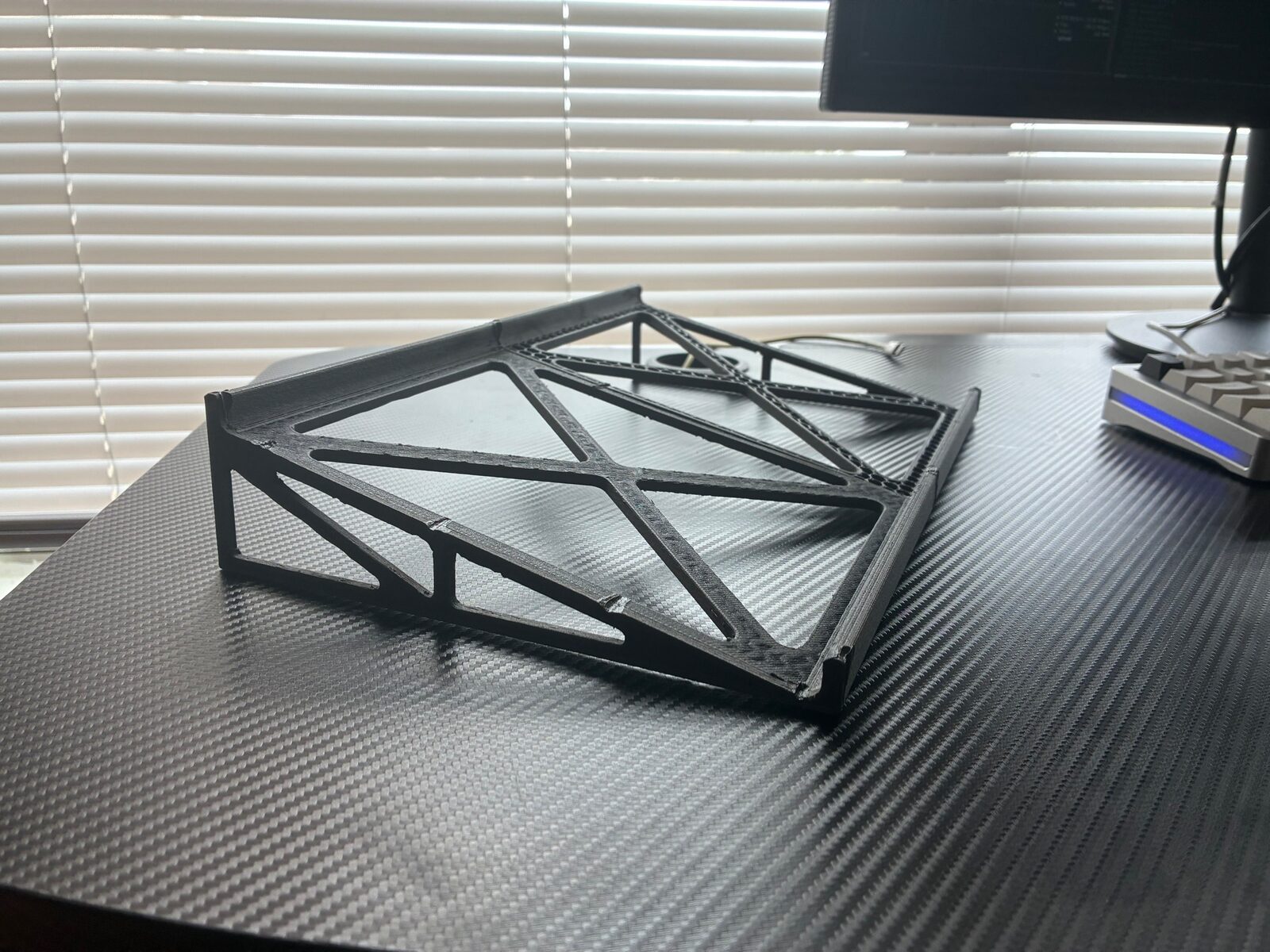
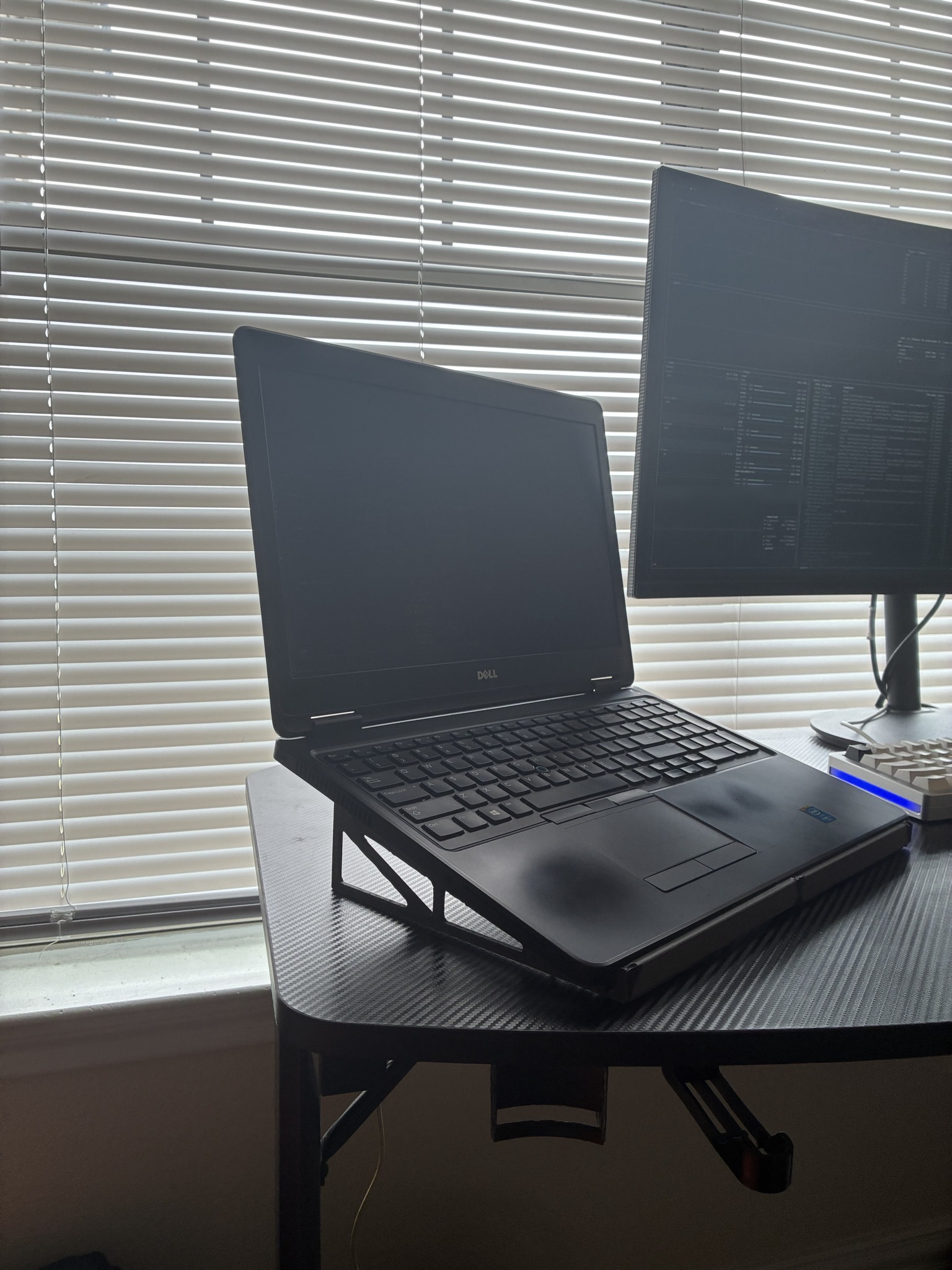
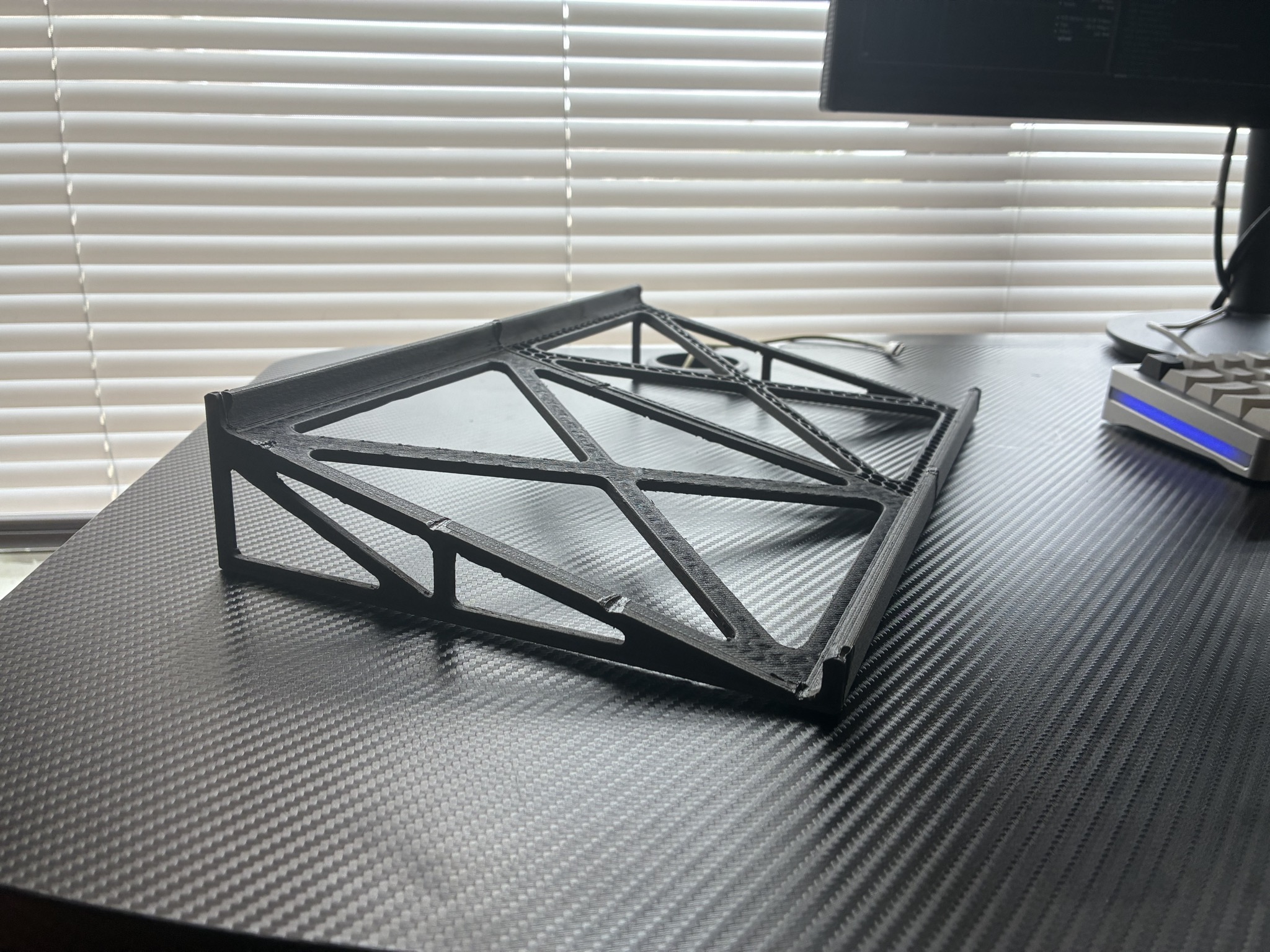
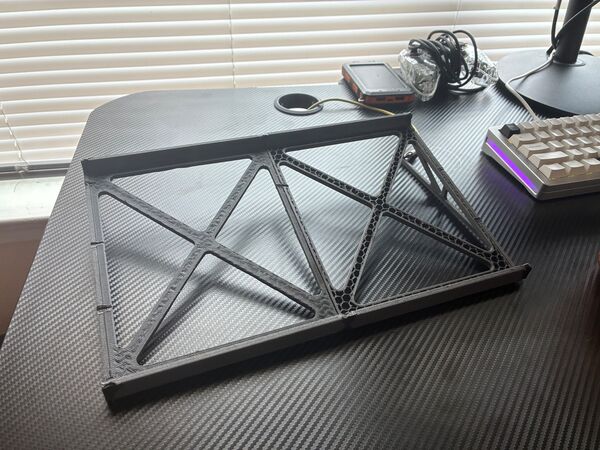
A lightweight, fastener-free FDM-printed stand that flips between an upright iPad stand and a low-angle laptop stand.
Overview

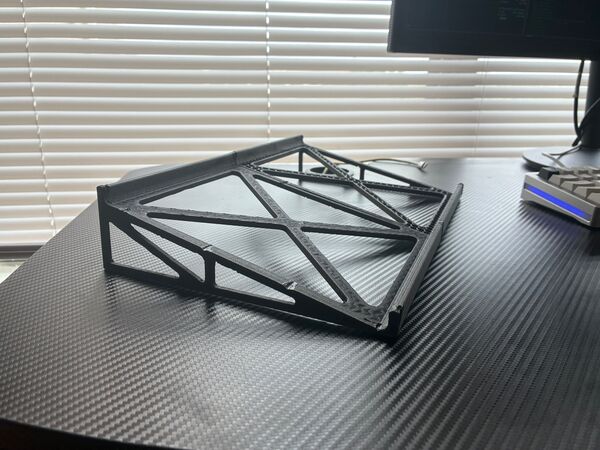
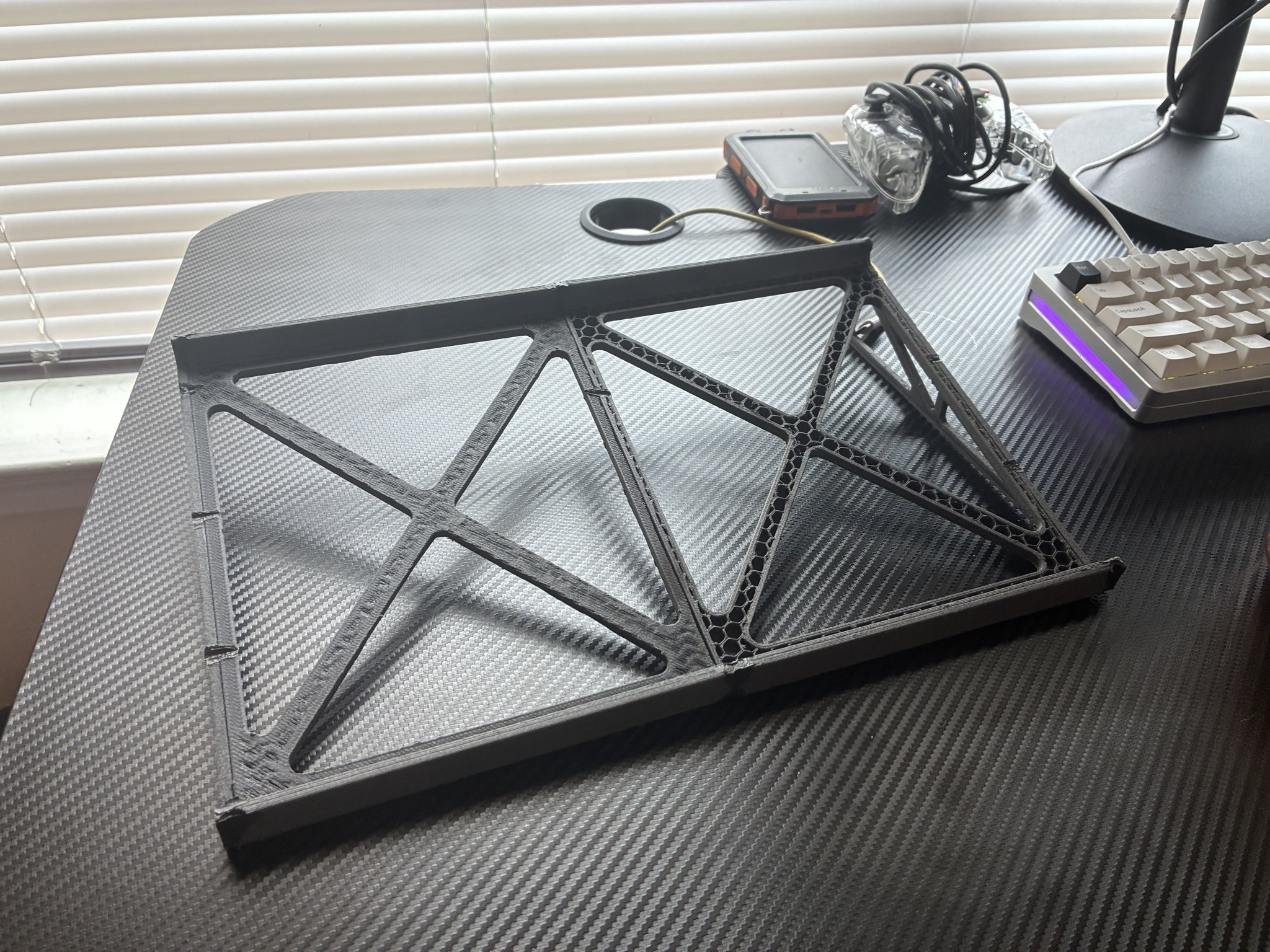
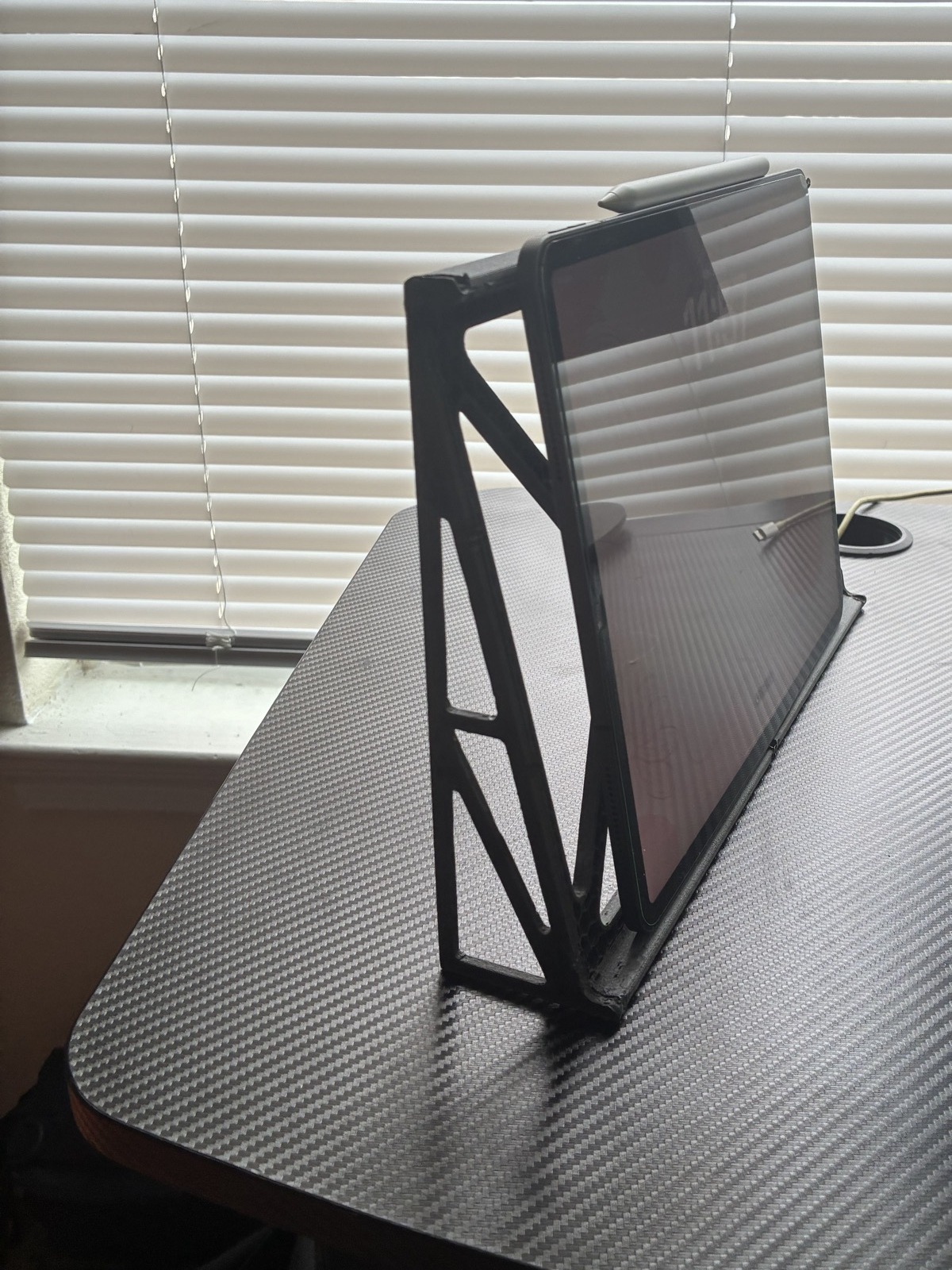
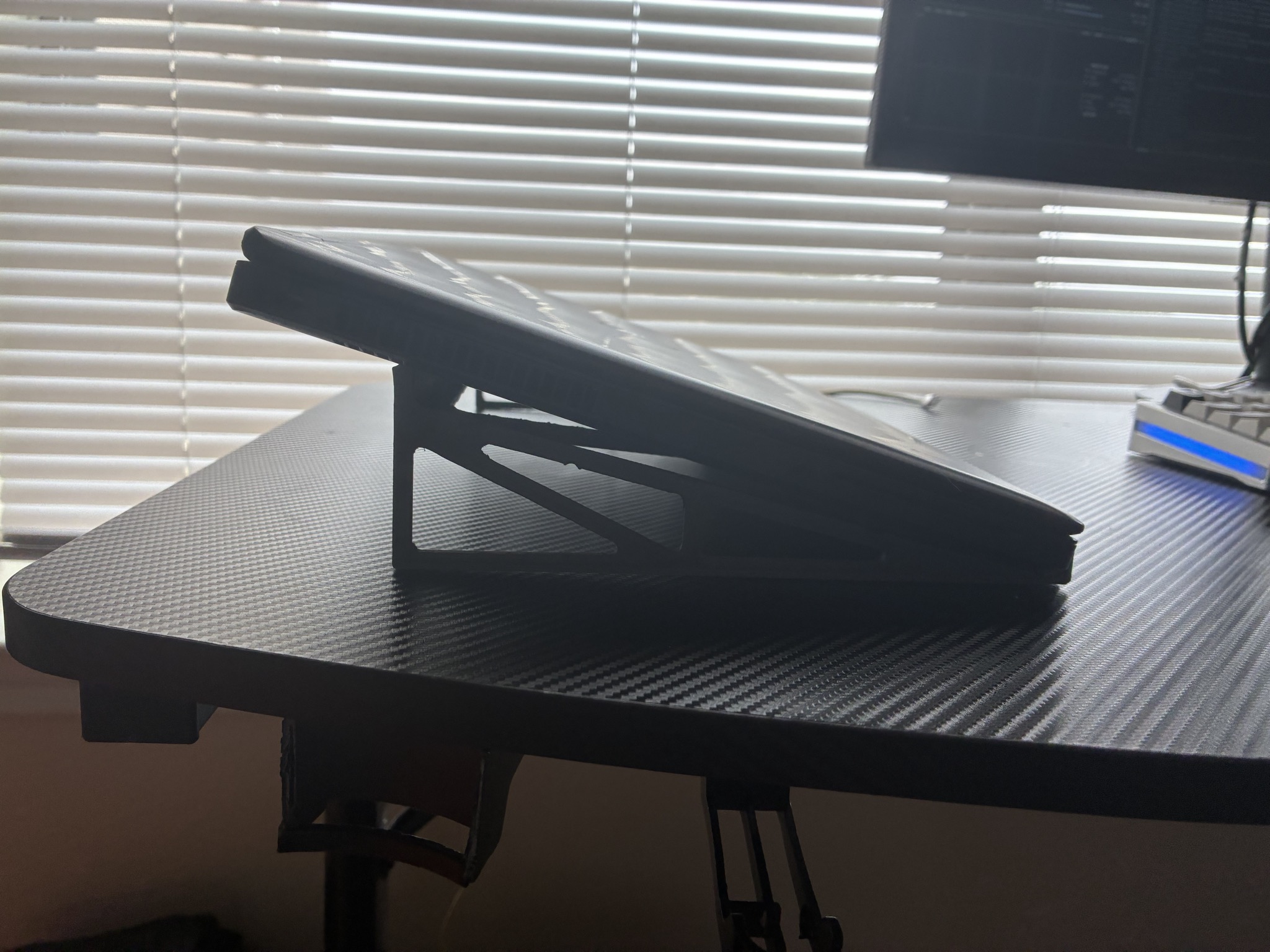
aero-flip is a hybrid laptop and iPad stand made from four 3D-printed PPA-CF frame pieces fused into one rigid part. It flips between two orientations: standing, to hold an iPad upright, and lying, to raise a laptop at an angle of about 18 degrees. It is meant to be very light and very rigid while staying as simple as possible. It has no screws, heat-set inserts, or click or snap fittings, only two part designs printed twice each.

Status

o1.0A is the first and current revision. It has been printed and assembled in PPA-CF and works in both orientations. The upright iPad retention relies partly on friction because the top lip is shallow. Current revision: o1.0A.

Full README: how it works, build and use, known limits

How it works

Parts
PartQtyRole
side2Side pieces that set the stand's angle
top2Top pieces where the iPad or laptop rests

The frame is four pieces made from two part numbers.

Material

All pieces are FDM printed in PPA-CF (carbon-fiber-filled polyamide).

Joining

The four pieces are fused into a single frame with a soldering iron. No fasteners, inserts or snap features are used, which keeps the design low in part count and complexity.

Geometry and use
  • The side profile is triangular, with an angle of about 18 degrees.
  • Lying orientation: supports a laptop.
  • Standing orientation: holds an iPad upright against the lip on the tall side of the triangle.
Files
  • side-o1.0A.stl, top-o1.0A.stl: the original meshes and the source of truth.
  • side-o1.0A.step, top-o1.0A.step: solids rebuilt from the STLs. The meshes were sewn into closed solids and coplanar triangles were merged into flat faces (side: 580 triangles to 145 faces; top: 2344 triangles to 498 faces). They are valid closed solids you can use for measuring and boolean edits, but they are not parametric.

Build and use

  1. Print two copies of side-o1.0A.stl and two copies of top-o1.0A.stl in PPA-CF on an FDM printer.
  2. Arrange the two side pieces and two top pieces into the frame.
  3. Fuse the pieces together along their joints with a soldering iron to form one rigid part.
  4. Use it lying down to hold a laptop at about 18 degrees, or flip it upright to hold an iPad.

Known limits

  • The uppermost lip on the tall side of the triangle is shallow, so in the upright position the iPad is held partly by friction rather than by a deeper mechanical lip.
  • The STEP files are rebuilt from the STL meshes and are not parametric; the STL files are the true originals.
LicenseLegal/LICENSE

PolyForm Noncommercial 1.0.0 PolyForm-Noncommercial-1.0.0

Copyright (c) 2026 Sanchez Performance LLC

What this license lets you do

Revisions & files

o1.0Acurrentaero-flip/o1.0A/

air-purifier

PROFESSIONAL LAB RELATED / CONDITIONALHARDWARE

Source available with conditions. Free to use and build for noncommercial work; read the license first. 1 revision

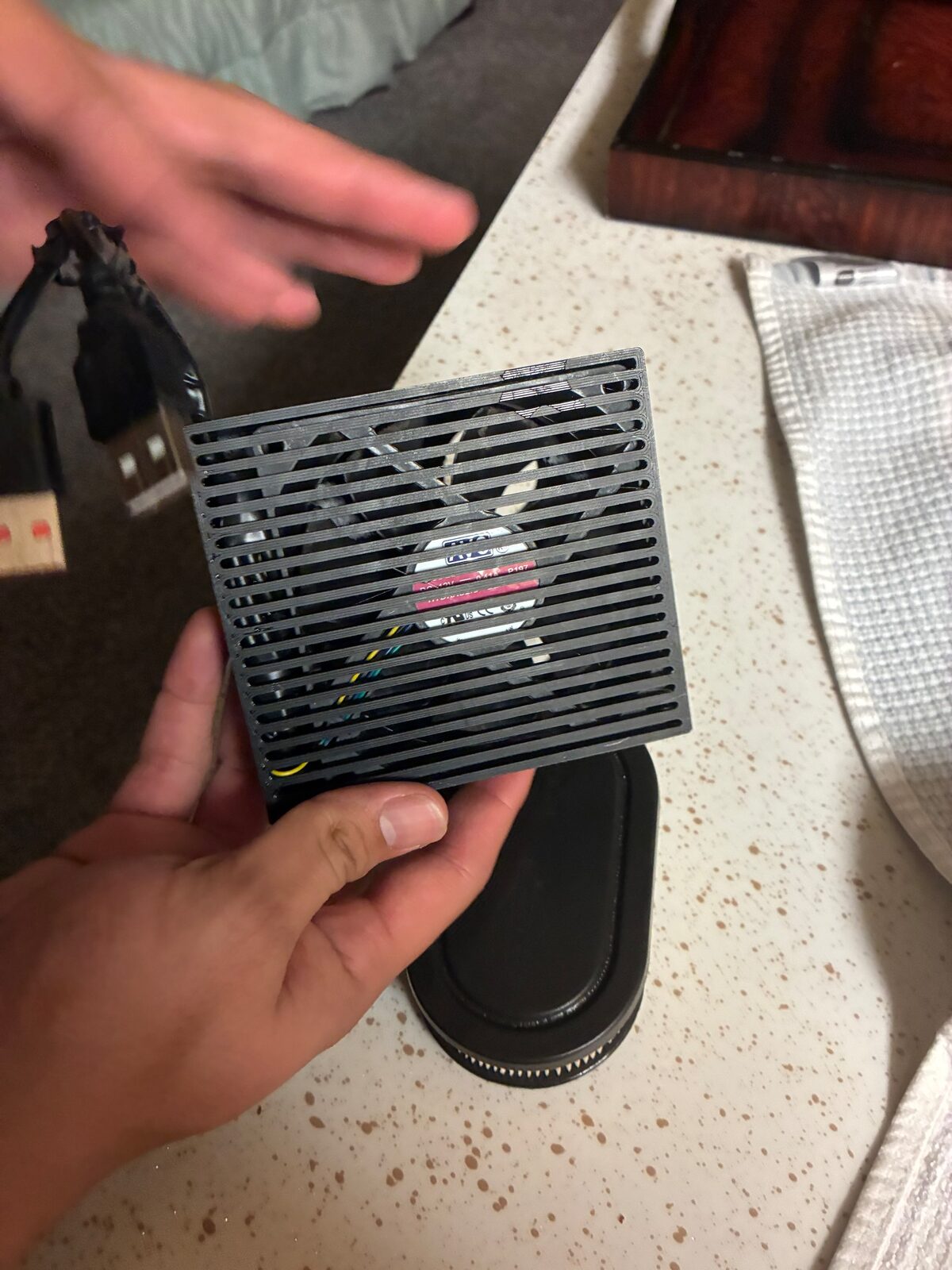
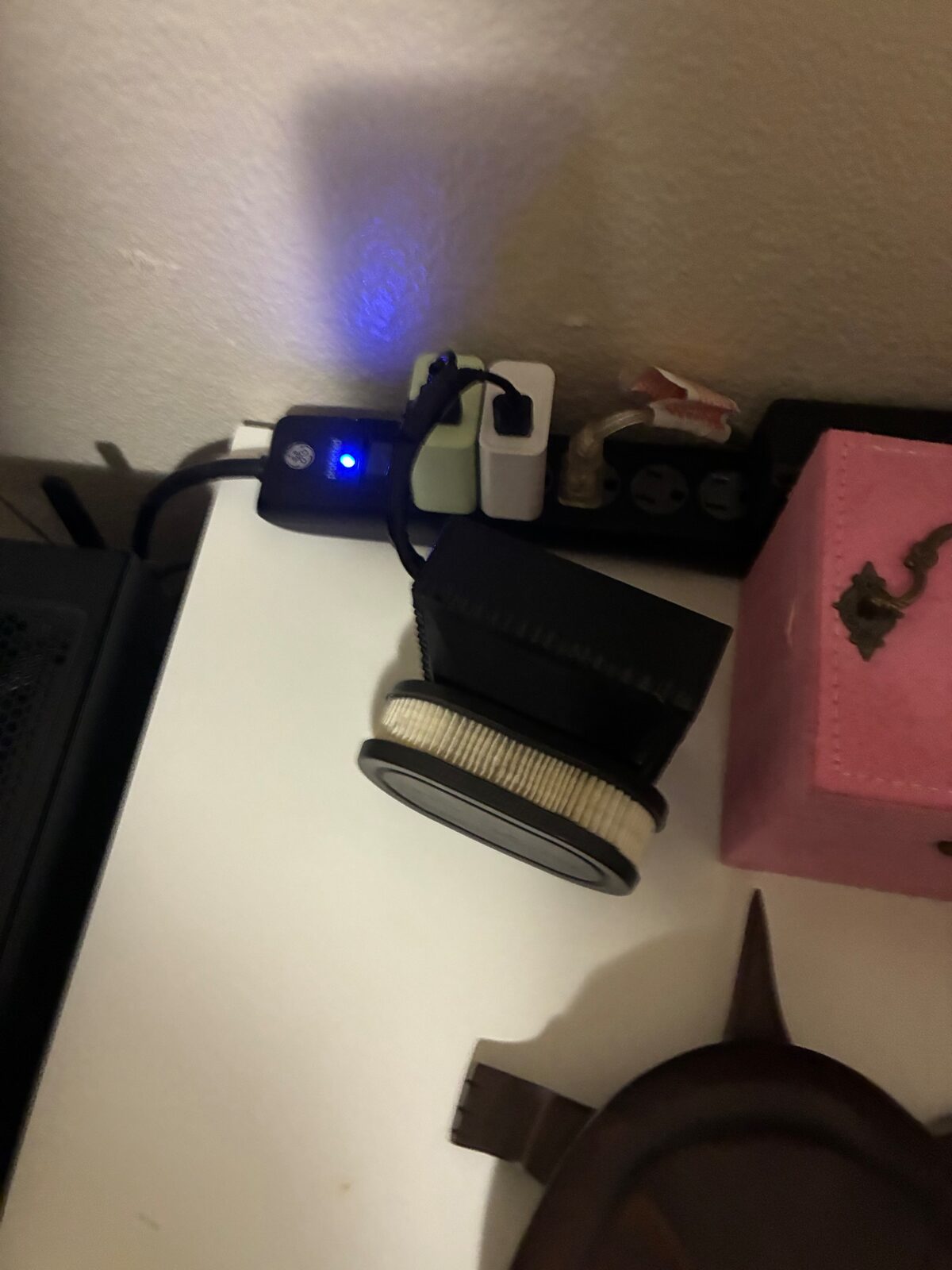
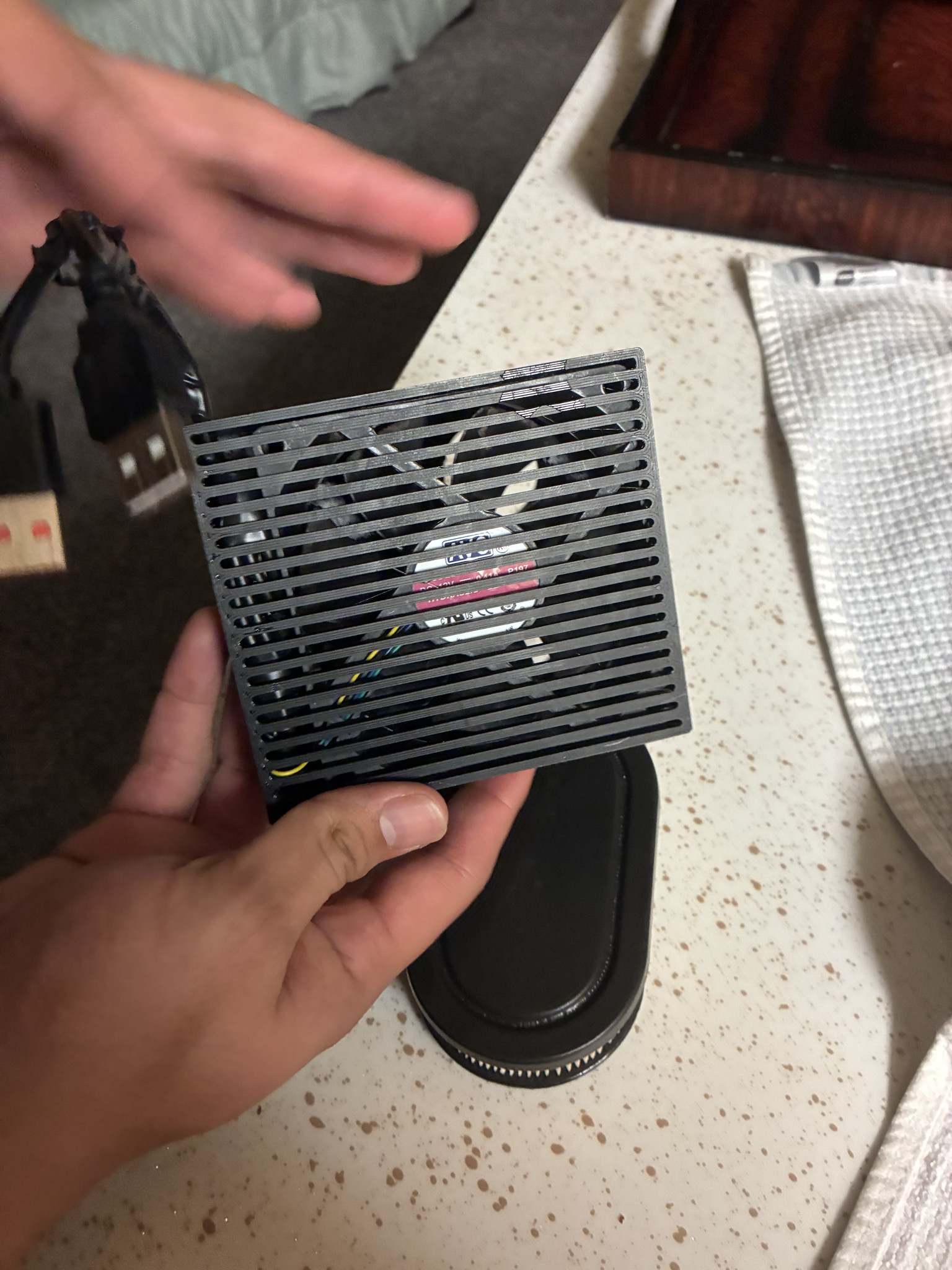
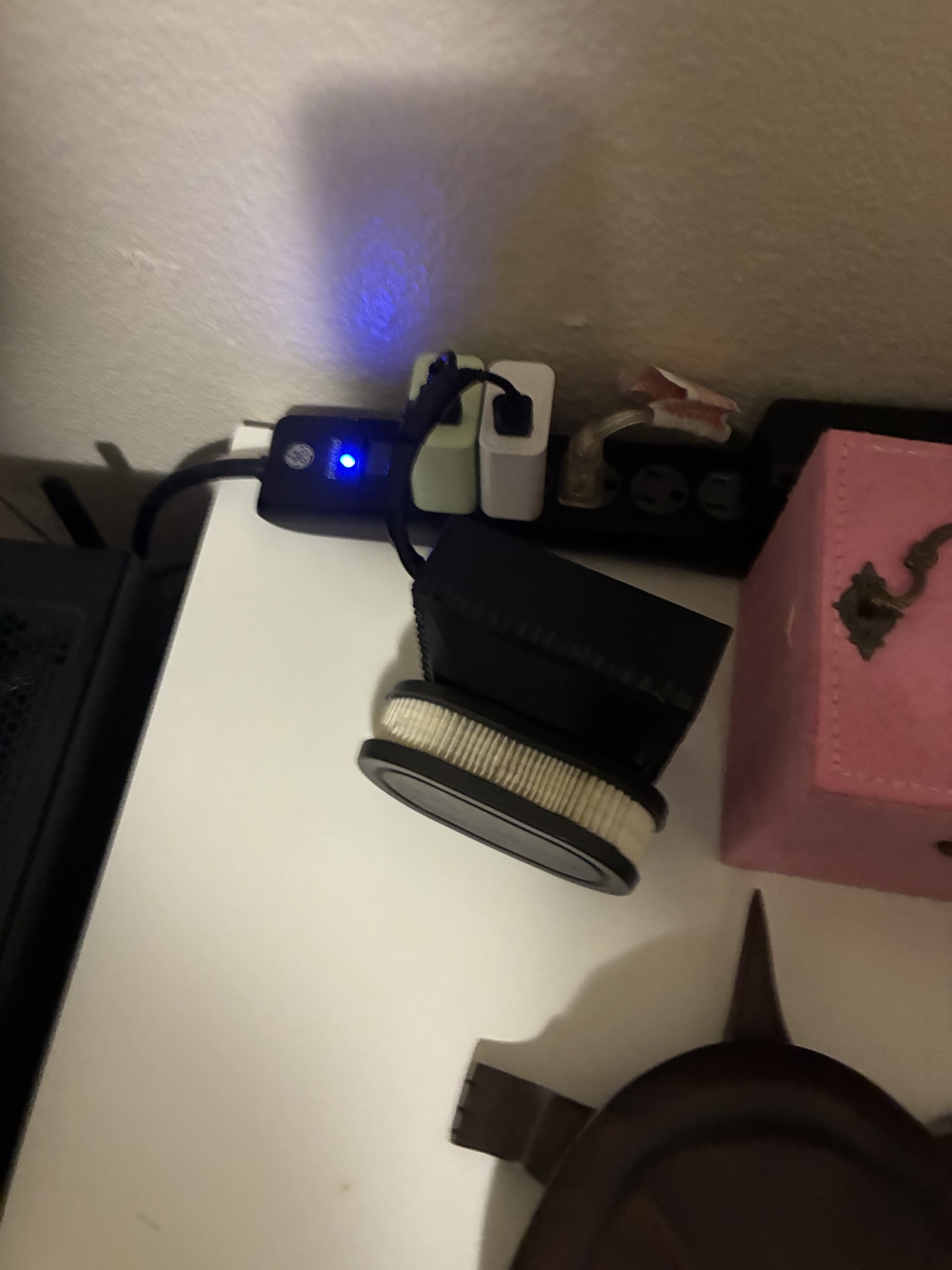
A small 3D-printed desktop air purifier: a PETG body and lofted inlet, 90 mm PC fans run from USB, and an off-the-shelf pleated paper filter.

Overview

This project is a small desktop air purifier built around a printed enclosure. The enclosure is split into two parts: a body, which serves as the main housing, and an inlet that mounts to the body. The inlet is a lofted part that shapes the path air takes into the purifier. Air is moved by 90 mm desktop PC fans powered over USB, and it is filtered by a Briggs & Stratton 593260 air filter, the oval pleated paper filter sold for small engines.

Status

Revision o1.0A is the first revision. It provides CAD for the body and the inlet, and the parts have been printed in PETG. Current revision: o1.0A.

Photos of the printed o1.0A unit are in o1.0A/photos/ (full size), with web copies in o1.0A/photos/web/ and thumbnails in o1.0A/photos/thumb/.

Full README: how it works, build and use, known limits

How it works

The design has two parts:

PartDescription
BodyThe main housing of the air purifier. The inlet mounts to it.
InletA lofted part that forms the air intake. It was modeled in Fusion and exported as STEP and STL.

The parts have been printed in PETG.

Fans and power

The fans are 90 mm desktop PC fans. They are powered over USB: the USB leads are wired in series, so the fans see about 10 V instead of a 12 V supply.

Filter

Filtration is done by a Briggs & Stratton 593260 air filter, the oval pleated paper filter. It is a common replacement part, so it is easy to find and swap.

Build and use

What you need:

  • The printed body and inlet, in PETG
  • 90 mm desktop PC fans
  • USB leads, wired in series to supply about 10 V to the fans
  • A Briggs & Stratton 593260 air filter (oval pleated paper)

Files in this revision:

  • body-o1.0A.step: body (STEP)
  • inlet-o1.0A.step: inlet (STEP)
  • inlet-o1.0A.stl: inlet (STL, ready to slice)
  • Print the inlet from inlet-o1.0A.stl, or export an STL from the STEP file.
  • Export the body from body-o1.0A.step to a mesh and print it.
  • The parts have been printed in PETG.
  • Mount the inlet to the body.
  • Fit the fans and wire their USB leads in series.
  • Fit the Briggs & Stratton 593260 filter.

Known limits

  • Airflow and CADR (clean air delivery rate) have not been measured.
  • Filtration performance has not been tested. The 593260 is an engine intake filter, not a rated HEPA filter, and no particle capture figures exist for this build.
  • Running 12 V PC fans at about 10 V from USB means they spin slower than their rated speed and move less air than their spec sheets state.
  • The body is provided as STEP only. You need to export your own mesh from body-o1.0A.step before slicing it.
LicenseLegal/LICENSE

PolyForm Noncommercial 1.0.0 PolyForm-Noncommercial-1.0.0

Copyright (c) 2026 Sanchez Performance LLC

What this license lets you do

Revisions & files

o1.0Acurrentair-purifier/o1.0A/

First revision: body and lofted inlet in STEP, inlet also in STL, printed in PETG, 90 mm PC fans on series-wired USB (about 10 V), Briggs & Stratton 593260 filter.

All 5 files in o1.0A

WaterfallCFD

PROFESSIONAL LAB RELATED / CONDITIONALSOFTWARE

Source available with conditions. Free to use and build for noncommercial work; read the license first. 3 revisions · Python, JavaScript, HTML

A fast incompressible CFD solver for external aerodynamics that turns an STL into a drag number, a pressure field and a wake video on a desktop CPU, with a local web UI.

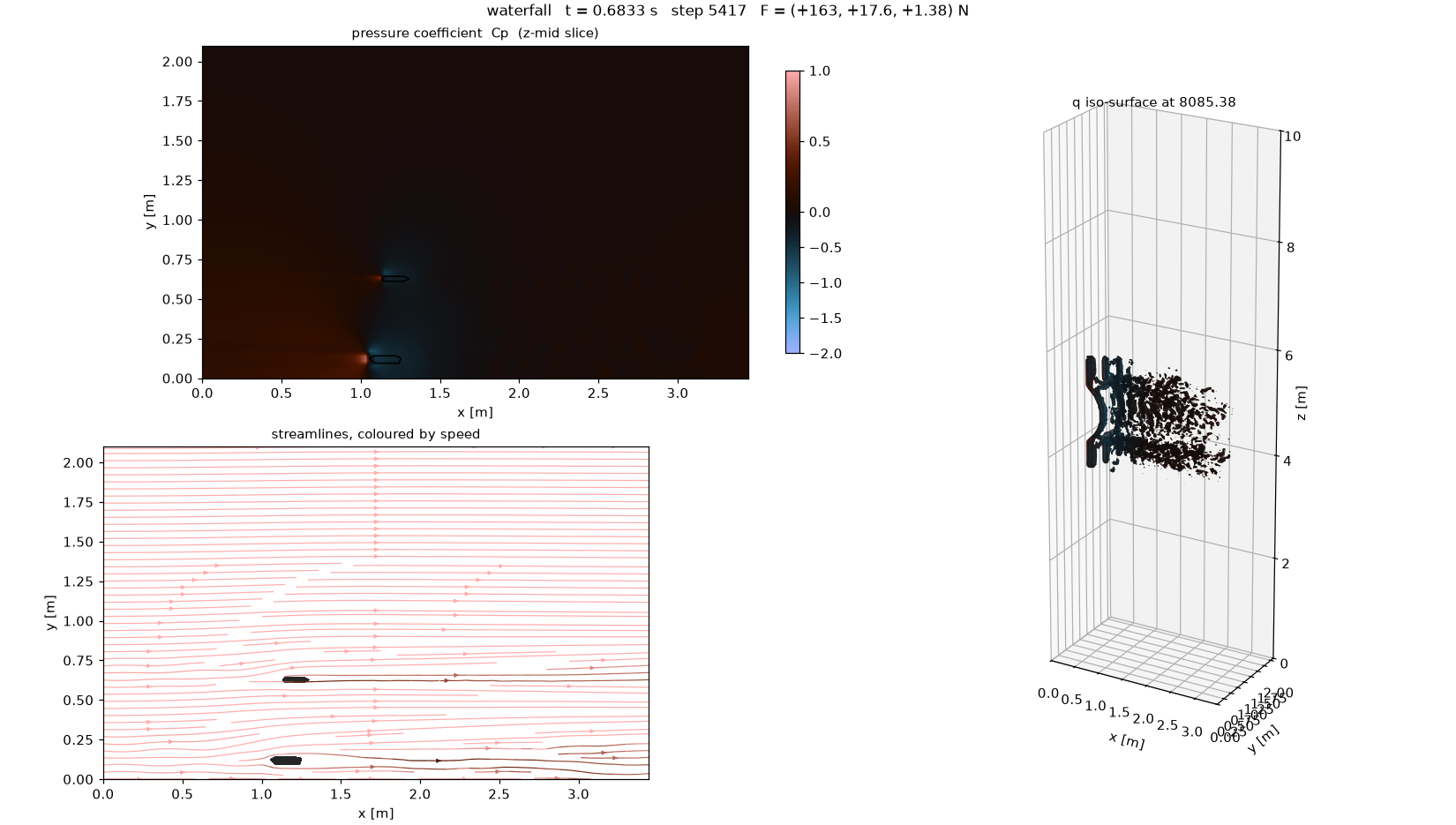
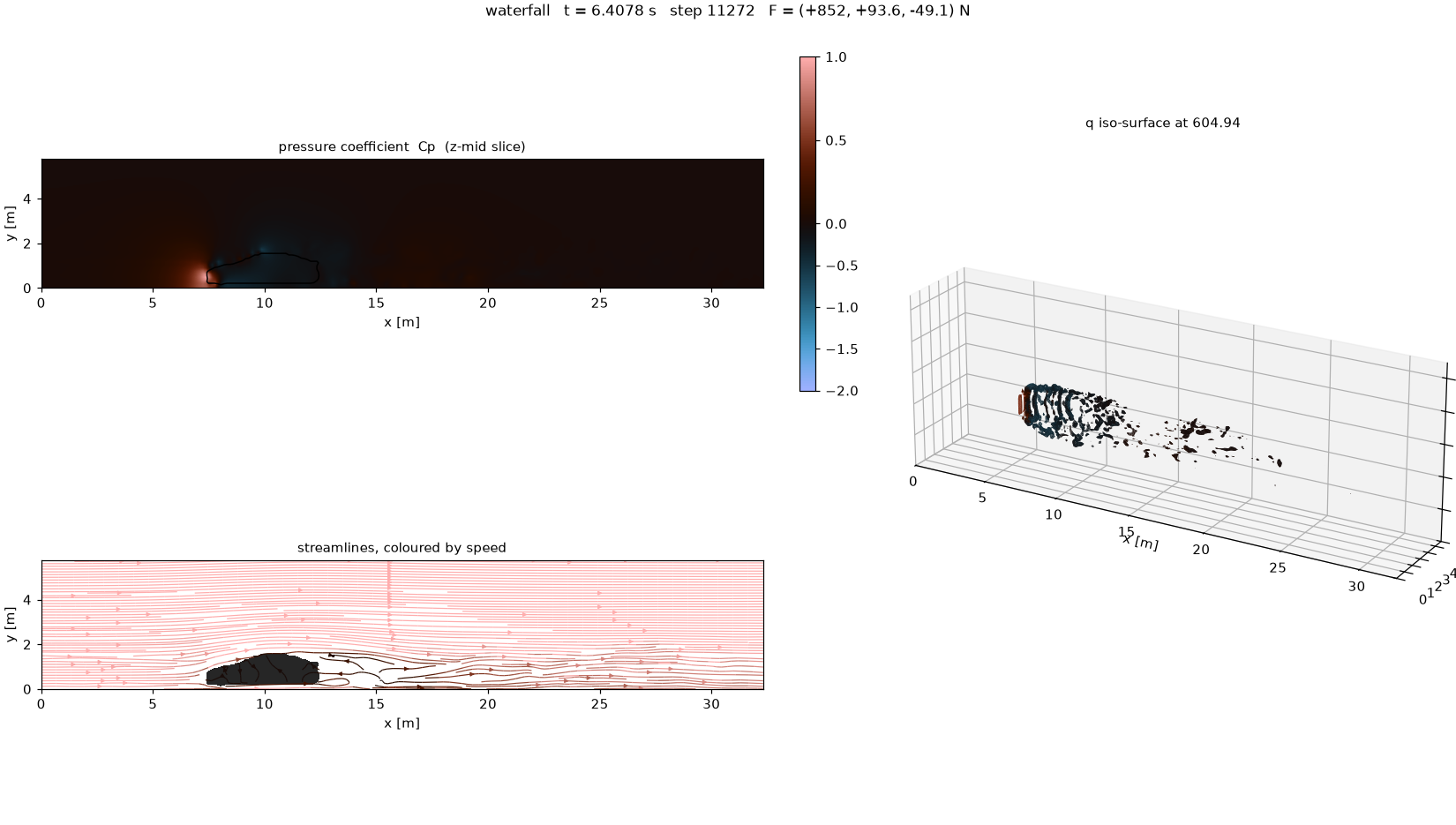
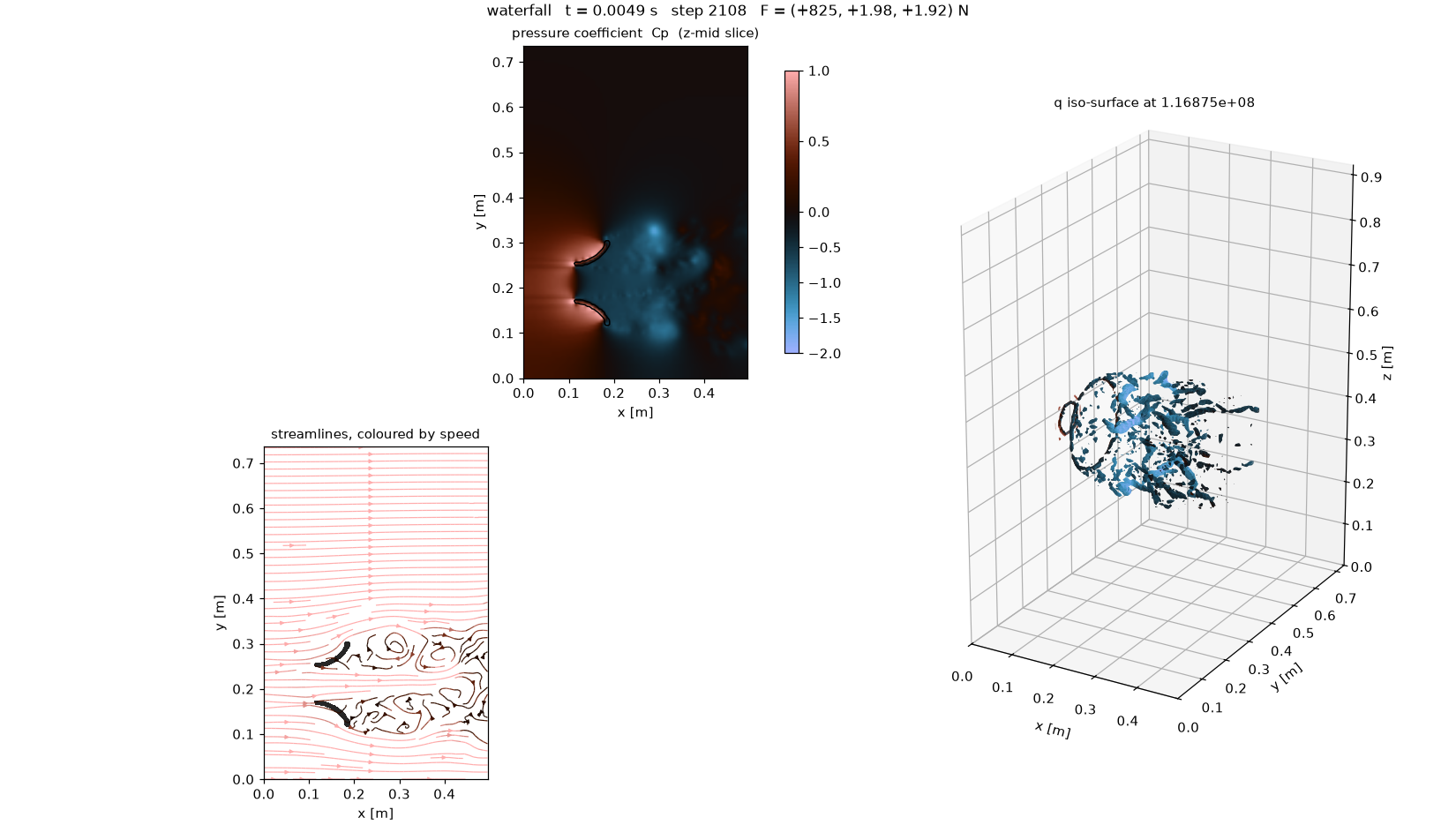
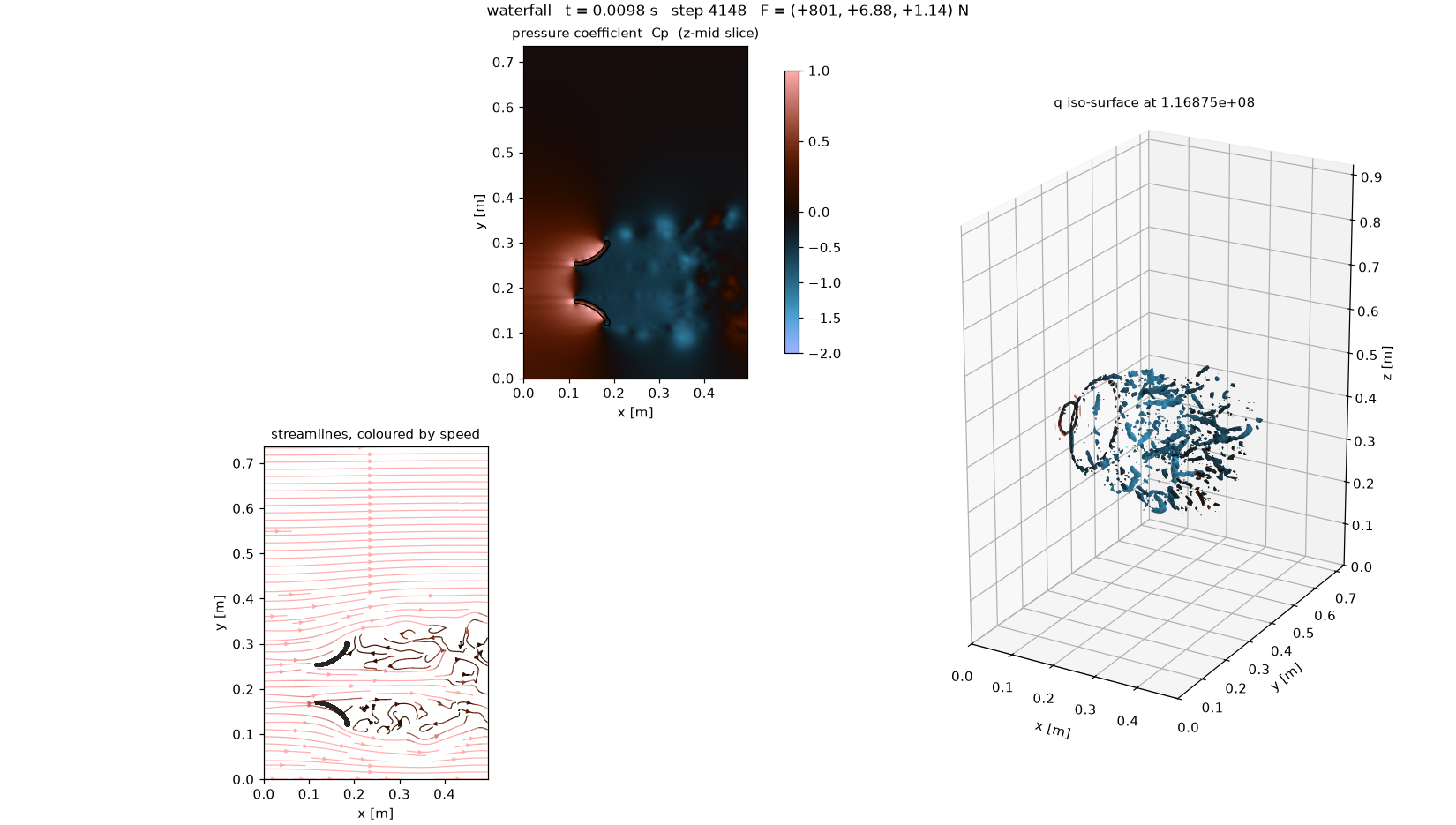
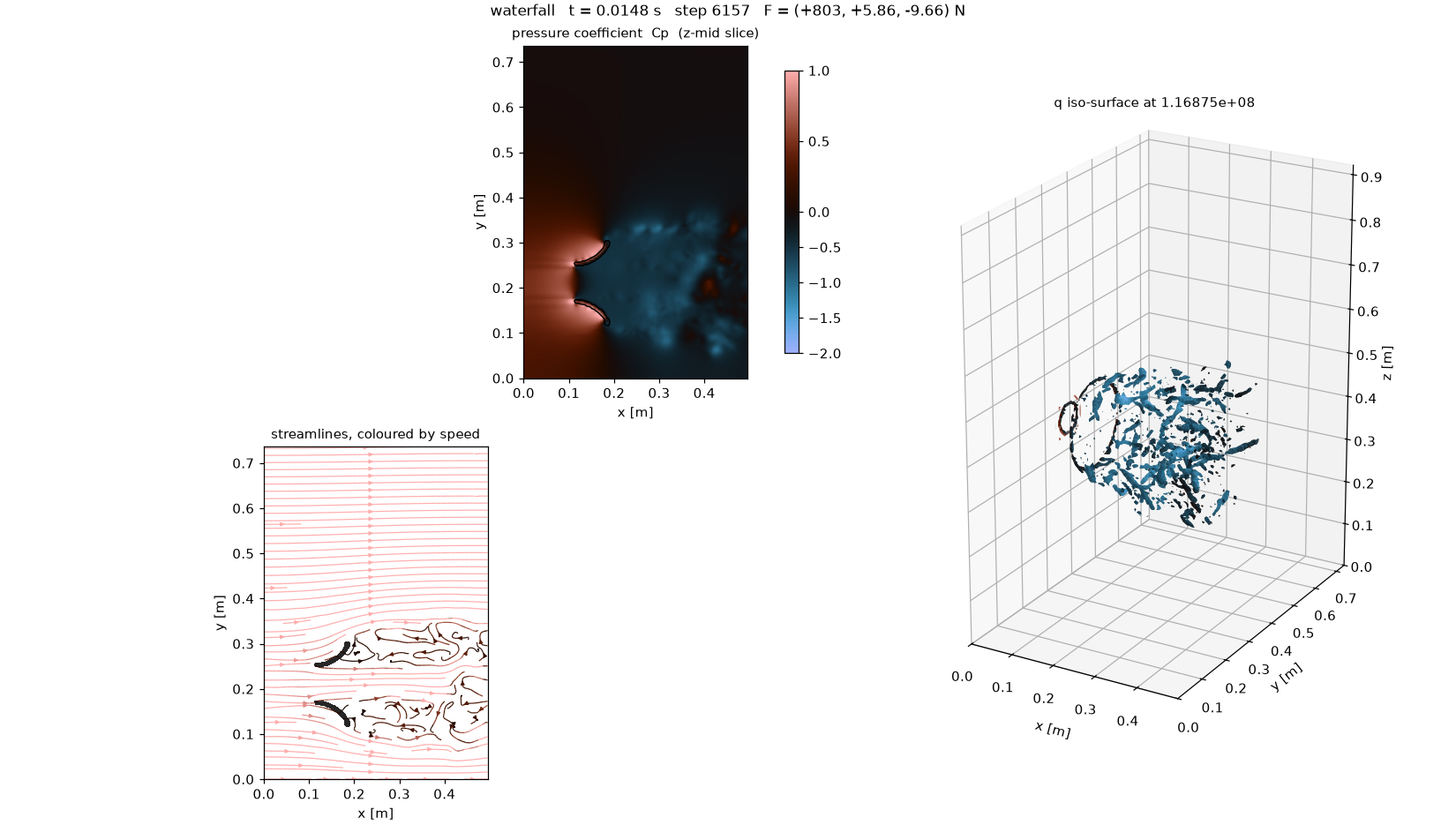
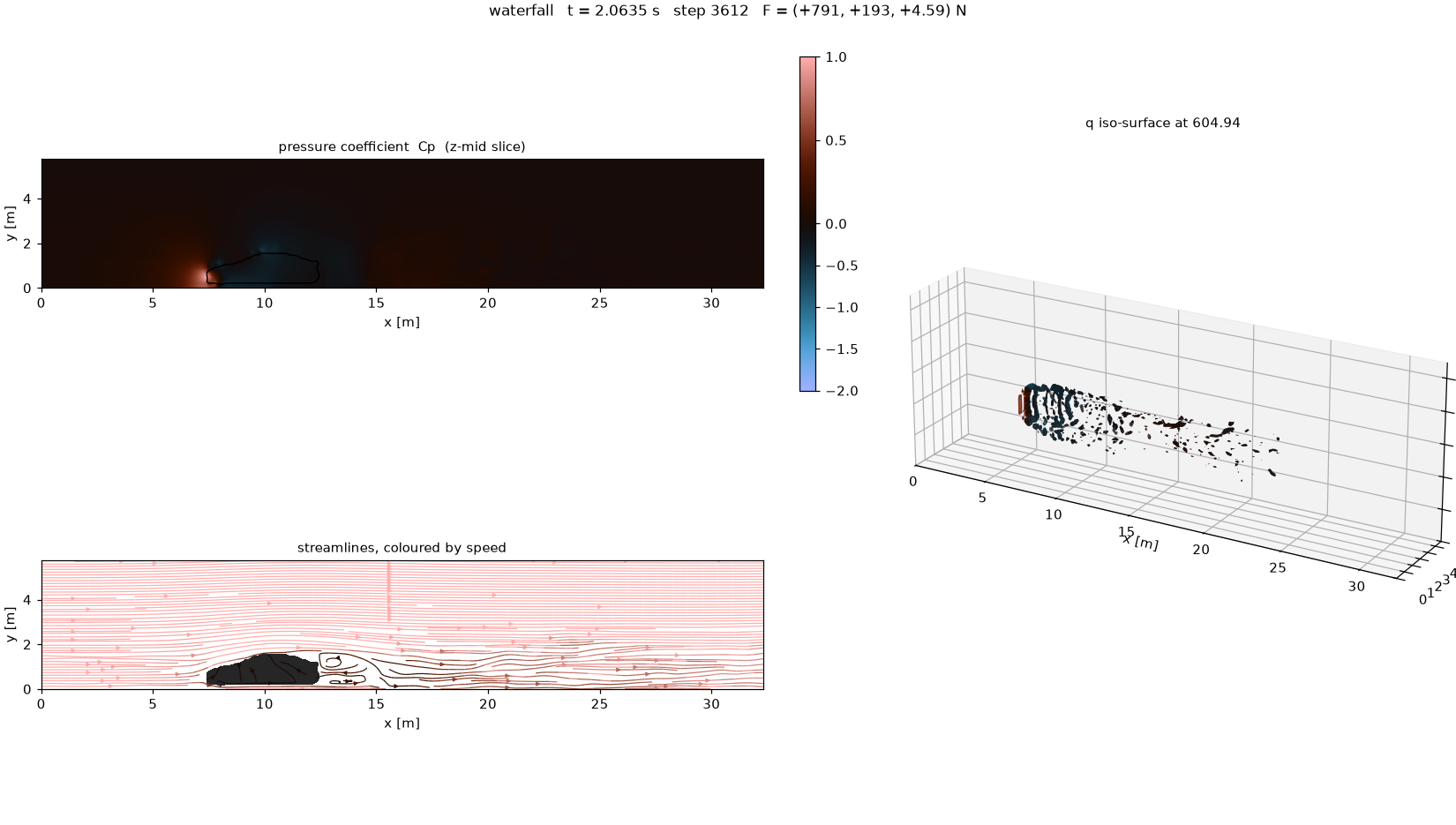
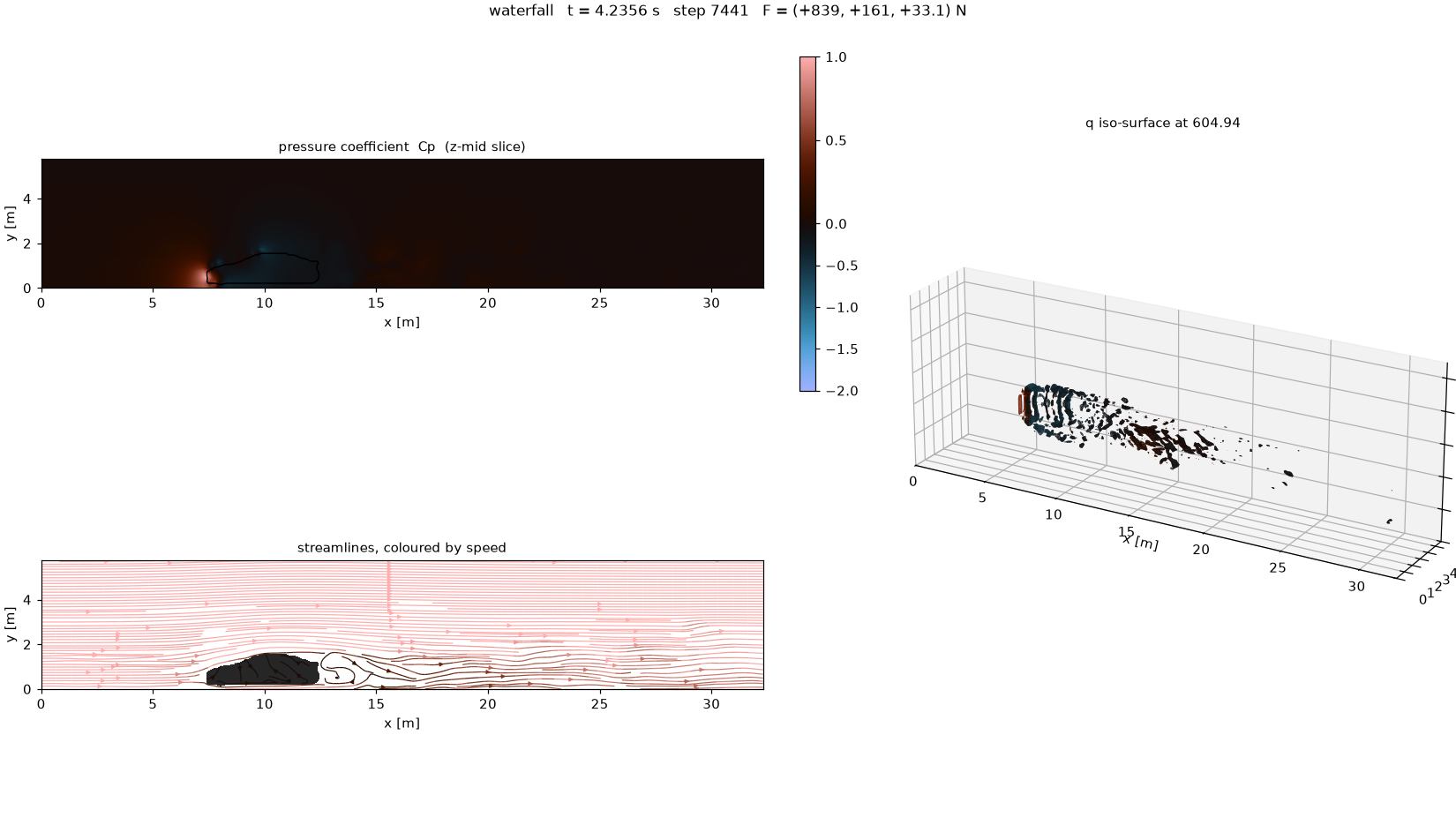
3inch-velocity-stack: animated dashboard view of the pressure coefficient (Cp) (slice, streamlines and wake iso-surface). Download MP4, 3.6 MB

Overview

WaterfallCFD solves the incompressible Navier-Stokes equations on a uniform staggered grid with an immersed boundary. It is sized so a full vehicle case finishes inside 30 minutes on a desktop CPU. The design target is fast iteration on low-poly geometry: drop in an STL, get a drag number, a pressure field and a wake video, change the shape, and run again. It is not a substitute for a wall-resolved commercial solve. The places where it is wrong are measured and written down in VALIDATION_REPORT.md rather than left for the user to find. The intended workflow is A/B comparison of geometries at identical settings and identical resolution: rank designs, do not quote coefficients.

Status

The current revision is a complete rewrite as a CPU Navier-Stokes LES solver with a local web UI. Validation confirms the flow field against benchmarks and puts drag within +/-10%. Current revision: o2.0A.

Full README: how it works, build and use, known limits

How it works

Governing equations
du/dt + div(u u) = -grad(p)/rho + nu*lap(u) + f_ibm
div(u) = 0

Incompressible, isothermal, Newtonian, constant density.

Numerical choices
PieceChoiceWhy
GridUniform staggered MACLets the pressure solve be a direct transform
PressureDCT-II Poisson, all-NeumannDirect, non-iterative. 57 ms at 2.4M cells
TimeAdams-Bashforth 2, one projection per step2nd order for one Poisson solve, not three
Convection2nd-order central, divergence formNon-dissipative; upwinding would fake viscosity
DiffusionExplicit 7-point LaplacianConvective CFL binds first, so it is free
GeometryImmersed boundary, fractional etaNo meshing step; an STL change costs seconds
TurbulenceVreman LES (default)Required above Re ~1e5; benchmarks set sgs: null and run laminar

The FFT pressure solver is the load-bearing decision. It is what makes the runtime budget achievable, and it is why the grid must be uniform: there is no local refinement near the body, and that is the method's main cost. The compute kernels are written in Numba; they are the solver, not an optional speed-up.

Axis convention

x is streamwise (inlet to outlet), y is vertical (ground at y=0, lift along +y), z is spanwise. The axis_order setting permutes the STL's axes into that frame.

Code layout
waterfall_core/     solver package
  grid.py           staggered MAC grid; nz=1 collapses to 2D
  poisson.py        DCT pressure solver
  kernels.py        numba convection, diffusion, divergence, IBM, derived fields
  boundary.py       boundary conditions
  solver.py         fractional-step time loop
  geometry.py       STL -> solid volume fraction
  shapes.py         analytic geometry for benchmarks
  sgs.py            Vreman subgrid model
  config.py         YAML config, domain sizing, pre-flight
  io.py             frame output (npz) and VTK export
  runs.py           run registry and subprocess supervision (UI)
benchmarks/         verification cases with published reference values
cases/              example configurations
ui.py               local web app (FastAPI)
ui/                 front end (no build step)
legacy/             the previous ray-based estimator, kept for reference
Validation

The benchmark suite covers exact checks (Poisson, freestream, divergence), a laminar Blasius boundary layer against the similarity solution, a circular cylinder (Cd, Strouhal number, recirculation length) and a square cylinder for sharp-edged separation. Measured results:

  • Velocity and pressure fields: Blasius profile L2 error 0.7-1.3%
  • Wake structure, separation and recirculation length converge into the reference range
  • Shedding dynamics: Strouhal number within 2.6% of reference
  • Drag: treat as +/-10%
Legacy ray estimator

legacy/ray_solver.py is the original ray-based estimator. It contained no fluid physics: no momentum equation, no continuity, no pressure-velocity coupling and no Reynolds-number dependence. It could not run any of the benchmarks. It is kept only as a record of what the numbers in old summary.txt files meant.

Build and use

Install

Create a virtual environment and install the dependencies:

python -m venv .venv
source .venv/bin/activate        # Windows: .venv\Scripts\activate
python -m pip install numpy scipy trimesh matplotlib rtree numba scikit-image imageio imageio-ffmpeg pyyaml fastapi "uvicorn[standard]" python-multipart

Numba is required.

The app
python ui.py

A browser opens at http://127.0.0.1:8010. The app listens on loopback only, so nothing is exposed to the network.

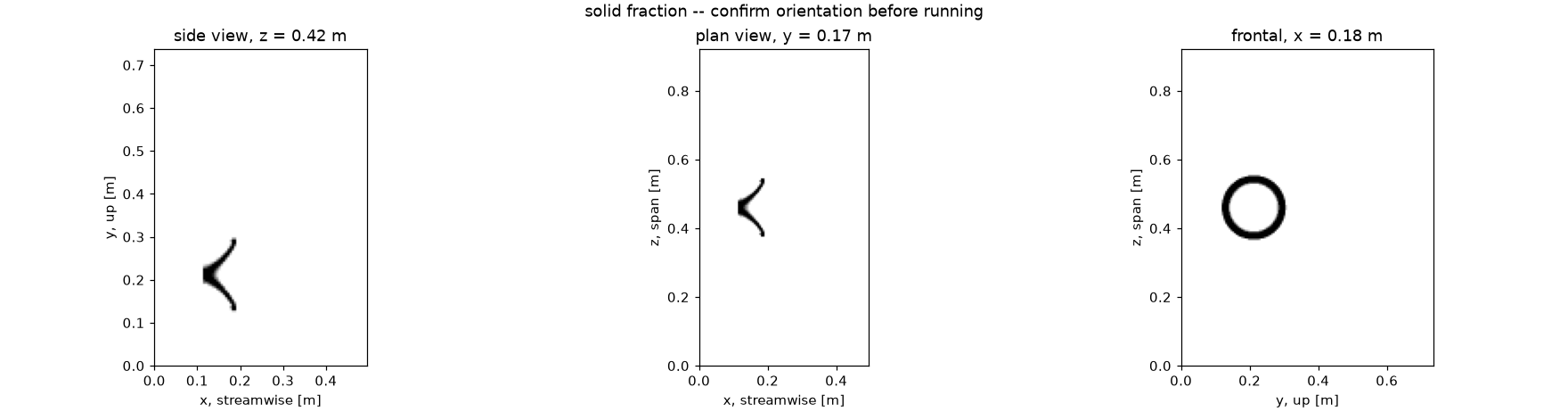
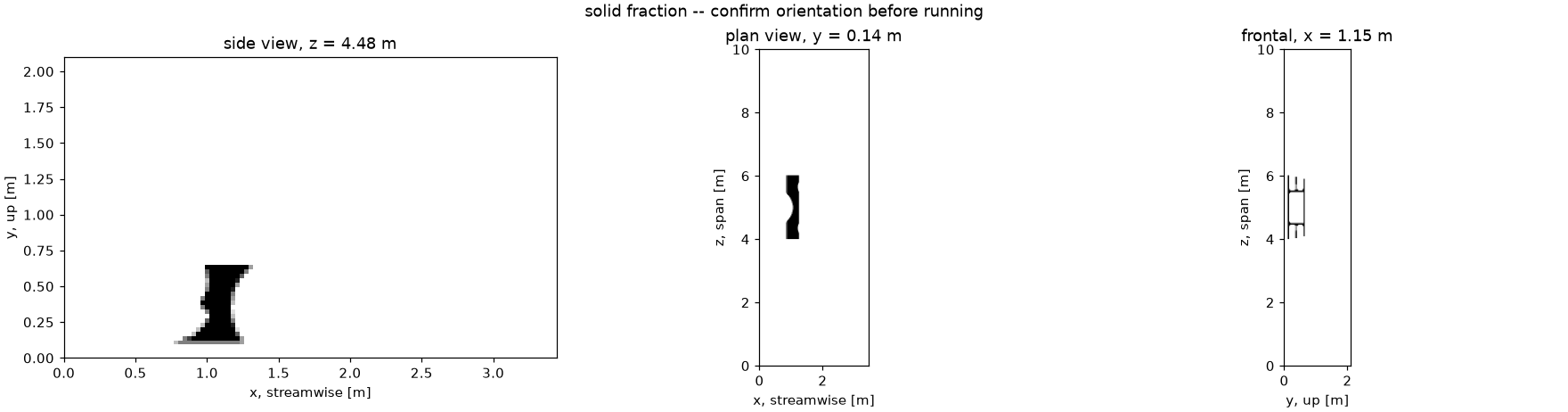
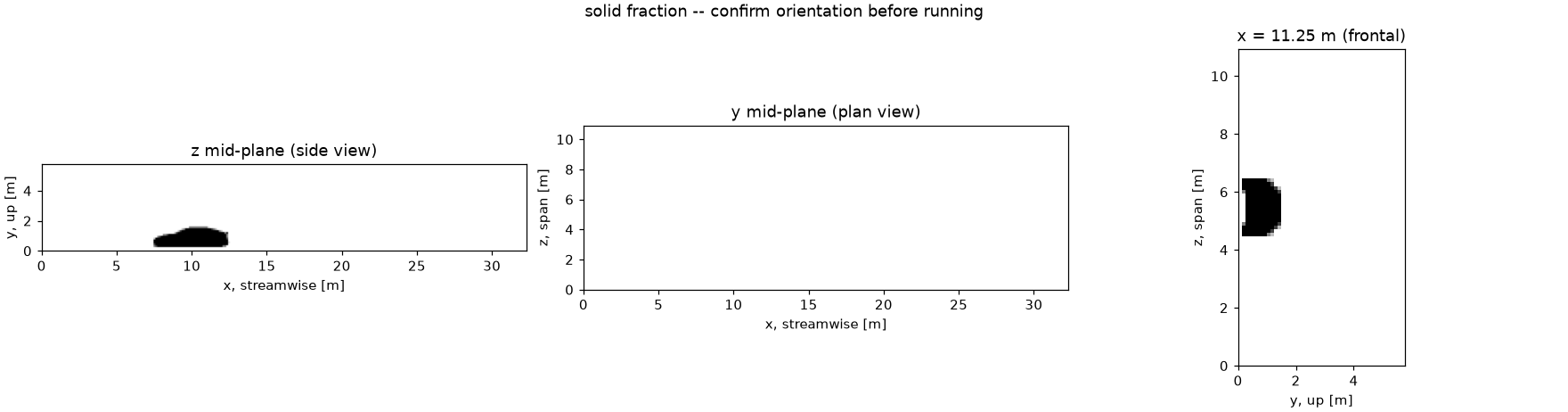
  • New run: drag an STL onto the page. The app reads the mesh, guesses the flow axis, and draws side, plan and front previews with the flow direction marked. Enter the part's real length in metres and the scale factor is worked out automatically. Runtime and cell count update live as settings change.
  • Running: progress bar, ETA, step count, live divergence and force, a tail of the solver log, and a Stop button.
  • Projects: every past run as a card with its Cd and a thumbnail. Open one for the result tiles, the animation, the geometry preview, the full log, and every file the run produced, all downloadable.

Always check the orientation preview before running. The flow-axis guess assumes the longest dimension faces the flow. That is right for a car and wrong for a bumper, wing or splitter. A wrong axis does not raise an error; it returns a confident, wrong drag number. Results in the app carry their own caveats: if subgrid viscosity or resolution made a number untrustworthy, the run says so next to the number.

Run a case from the terminal

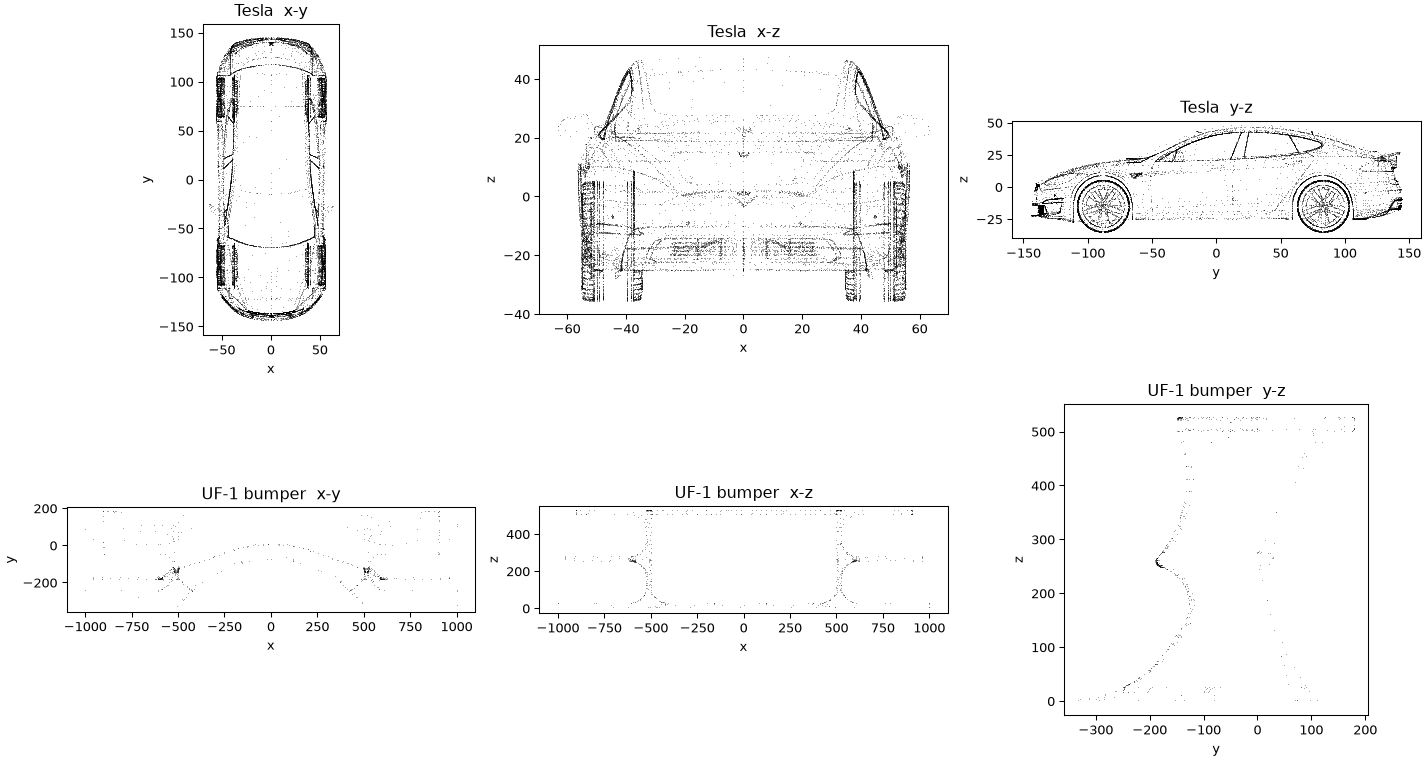
The Tesla case geometry (geometries/tesla_model_s_2023.stl) is a third-party model and is not shipped; bring your own STL and point geometry.path at it.

Pre-flight only (geometry validity, orientation preview, domain bounds, blockage, cell count and estimated wall-clock time). Always run this first:

python waterfall.py cases/tesla.yaml --check

Full run, writing summary.json (Cd, Cl, forces, diagnostics) and a directory of frames:

python waterfall.py cases/tesla.yaml

Render PNG frames and an MP4 (coloured slice, streamlines and a 3D Q-criterion iso-surface of the wake):

python visualize_waterfall.py output/tesla/frames --layout dashboard --fps 30
Configuration

See cases/tesla.yaml for a fully commented example.

geometry:
  path: geometries/car.stl
  units: mm
  axis_order: yzx        # which STL axis becomes solver x (streamwise), y (up), z (span)
domain:
  cells_per_length: 40   # resolution, measured along the STREAMWISE extent
  upstream: 1.5          # domain padding, in body lengths
  downstream: 4.0
flow:
  speed: 30.0            # m/s
  viscosity: 1.5e-5      # kinematic, m^2/s
  rolling_road: true     # a fixed floor is a tunnel artefact
run:
  convective_times: 6.0
  output: output/car

Override settings from the command line without editing the file:

python waterfall.py cases/tesla.yaml --override domain.cells_per_length=24
Validation benchmarks
python benchmarks/smoke.py        # exact checks: Poisson, freestream, divergence
python benchmarks/blasius.py      # laminar boundary layer vs similarity solution
python benchmarks/cylinder.py     # bluff body: Cd, Strouhal, recirculation
python benchmarks/bluff_body.py   # square cylinder, sharp-edged separation

Known limits

  • Force magnitude is not grid-converged: on a Re=40 cylinder Cd moves away from a limit under refinement (1.610, 1.622, 1.779 at 16/24/32 cells per diameter) while the flow field converges. Treat drag as +/-10% and never compare cases run at different resolutions, because the bias is resolution dependent.
  • Absolute vehicle Cd is out of envelope: the Model S case returns 0.557 against a published 0.208. Subgrid viscosity on an affordable grid reaches 1.2e4 times molecular, putting the effective Reynolds number near 850 instead of 1e7.
  • Streamlined bodies are the worst case: at 138 mm cells the smooth pressure-recovery taper becomes a staircase drowned in eddy viscosity, and the body behaves bluff. Every passing benchmark is a bluff body.
  • There is no wall model: the first cell off the body sits far outside the viscous sublayer at vehicle Reynolds numbers, so friction drag is not physical.
  • The grid is uniform with no local refinement near the body, a direct consequence of the FFT pressure solve and the reason resolution is expensive.
  • An incorrect axis_order still produces a plausible drag number instead of an error, so orientation must be checked by the user.
LicenseLegal/LICENSE

PolyForm Noncommercial 1.0.0 PolyForm-Noncommercial-1.0.0

Copyright (c) 2026 Sanchez Performance LLC

What this license lets you do

Revisions & files

o2.0AcurrentWaterfallCFD/o2.0A/

Complete rewrite as a CPU incompressible Navier-Stokes LES solver with immersed boundary, DCT pressure solve and local web UI; validated flow field, drag within +/-10%.

All 53 files in o2.0A
c1.1Aclosed, 11 filesWaterfallCFD/c1.1A/
c1.0Aclosed, 3 filesWaterfallCFD/c1.0A/

First ray-casting quick CFD drag estimator.

ObsidianDart

o1.2AGPL v3+

PERSONAL / OPEN SOURCESOFTWARE

Open source. Use it, change it and share it under the license. 3 revisions · C++

A minimal command-line C++ utility for Linux that encrypts and decrypts a local text file of passwords or credentials with AES-256-GCM via OpenSSL.

Overview

ObsidianDart is a minimal, command-line cryptography utility for the secure local storage of sensitive, text-based information such as passwords or credentials. It encrypts or decrypts a single file in the working directory using AES-256, relying on the system's OpenSSL libraries rather than custom cryptographic code. The project is intentionally lightweight and narrowly scoped. It is not a full password manager. It is a simple local encryption tool that minimizes attack surface by avoiding cloud services, background daemons and large software stacks.

Status

Current revision: o1.2A. A terminal interface pass on top of the o1.1A security rewrite, plus a Makefile with install targets. Cryptography and file format are unchanged, so o1.1A files decrypt as before.

Full README: how it works, build and use, known limits

How it works

  • Language and platform: a single C++ source file (obsidian.cpp) targeting Linux systems.
  • Cryptography: provided by the system-installed OpenSSL library (libcrypto). Using pre-packaged, well-audited tooling keeps the program simple while retaining strong cryptographic primitives.
    • The passphrase is read with terminal echo turned off and is never used as the key directly. The key is derived with PBKDF2-HMAC-SHA256 (600,000 iterations) from the passphrase and a random 16-byte salt.
    • The file is encrypted with AES-256-GCM using a random 12-byte nonce. GCM is authenticated encryption: a 16-byte tag detects a wrong passphrase or any modified byte, and in either case nothing is written.
    • Key material and plaintext buffers are wiped from memory when no longer needed.
  • File format: passwords.wf.enc is a small versioned header (magic OBSDART, format version, salt, nonce), then the ciphertext, then the tag. The header is covered by the tag too.
  • Interface: a small terminal menu. It shows which of the two files are in the current folder, suggests the matching action (Enter accepts it), checks the file exists before asking for a passphrase, and uses color only on a real terminal (NO_COLOR turns it off). Ctrl+C during passphrase entry restores terminal echo.
  • Data file: encrypts or decrypts a file located in the working directory (passwords.wf). The file format is user-defined and may use tab- or comma-separated values, so the decrypted output can be easily parsed or opened in external applications.
  • Plaintext handling: after a successful encryption the plaintext file is overwritten with zeros and deleted. After a successful decryption the encrypted file is deleted, the same as before. Files are written with owner-only permissions (0600).
  • Design choices: no cloud storage, no background services and no large dependency stack, which keeps the attack surface small.

Build and use

Requirements: a Linux system with a C++ compiler and the OpenSSL development libraries installed.

Build and install:

make                             # builds ./obsidiandart
make install                     # installs to ~/.local/bin, no root needed
sudo make install PREFIX=/usr/local   # or system wide

Without make: g++ -std=c++17 -O2 obsidian.cpp -o obsidiandart -lcrypto.

Use: run obsidiandart from the terminal in the directory containing passwords.wf (to encrypt) or passwords.wf.enc (to decrypt).

  1. Check the file status at the top, then choose 1 to encrypt, 2 to decrypt or q to quit. Enter alone takes the suggested action.
  2. Enter your passphrase (it is not echoed).
  3. When encrypting, enter the passphrase a second time to confirm it.

obsidiandart --help and obsidiandart --version print usage and the revision.

Keep the plaintext file in a simple tab- or comma-separated format so the decrypted output can be read by other tools. There is no passphrase recovery: if you forget it, the file cannot be decrypted.

Known limits

  • Not independently audited. The design uses standard primitives, but the code has not had an outside security review.
  • Files encrypted by o1.0A cannot be decrypted by o1.1A or later. Decrypt them with the o1.0A build first, then encrypt again.
  • Overwriting the plaintext before deleting it is best-effort. On SSDs and on copy-on-write or journaling filesystems (btrfs, ZFS and similar) old copies of the data may remain on disk.
  • While decrypted, passwords.wf sits on disk as plaintext until you encrypt it again.
  • The whole file is held in memory while it is processed, and the passphrase strength is up to you.
  • Not a full password manager: it only encrypts and decrypts a single local file with a fixed name.
  • Targets Linux only.
LicenseLegal/LICENSE

GNU GPL v3 or later GPL-3.0-or-later

Copyright (c) 2026 Sanchez Performance LLC

What this license lets you do

Revisions & files

o1.2AcurrentObsidianDart/o1.2A/

Terminal interface pass: file status header, suggested action, re-prompt on bad input, quit option, file check before the passphrase prompt, color with `NO_COLOR` support, echo restored on Ctrl+C, `--help` and `--version`, Makefile with install and uninstall. Same crypto and file format as o1.1A.

c1.1Aclosed, 2 filesObsidianDart/c1.1A/

Security rewrite: PBKDF2-HMAC-SHA256 key derivation with random salt, AES-256-GCM with random nonce and tag check, versioned file header, echo-free passphrase input, plaintext overwritten and removed after encryption. Not compatible with o1.0A files. Superseded by o1.2A.

c1.0Aclosed, 2 filesObsidianDart/c1.0A/

Initial prototype: single-file C++ command-line tool performing AES-256-CBC encryption and decryption of a local credentials file using OpenSSL. Superseded by o1.1A.

What you can do

Plain words, not legal advice. The LICENSE file in each project is what actually applies. Everything here is copyright Sanchez Performance LLC; Sanchez Labs is its R&D arm.

Lab projects · Conditional

PolyForm Noncommercial 1.0.0

  • Download it, print it, build it and change it.
  • Share it, changed or not, for noncommercial use: personal projects, study, research, hobby builds, schools, charities and public bodies.
  • Selling it, selling parts made from it, or using it inside a business needs a commercial license from Sanchez Performance LLC first.
  • When you share it, pass the license along with the line Required Notice: Copyright (c) 2026 Sanchez Performance LLC.

Want to use it commercially? Ask: research@sanchezlabs.us or contact. Full terms

Open source

GNU GPL v3 or later

  • Use it for anything, commercial work included.
  • Read the source, change it and share copies, changed or not.
  • If you distribute it or a changed version, it stays GPL: include the source, keep the copyright and license notices, and license your changes under GPL v3 or later too.
  • No warranty. It is provided as is.

Full terms

License first

The IDS files every project by who is allowed to see it before anything else. The tier decides what may go public; nothing is published by accident.

INTERNAL SECRET private, never published

PROPRIETARY shared under NDA only

SILENT SECRET internal only

SOURCE OPEN-AVAILABLE public, shown on this page

CONDITIONAL source available with conditions

OPEN SOURCE open source license

then HARDWARE SOFTWARE PROCEDURES

o2.0A

o / c
Open (current, being worked on) or closed (archived: merged, superseded or a dead end). Closed revisions stay published so the history is honest.
2.0
Major.minor version. A major bump is a redesign or rewrite; a minor bump is a change to the same design.
A
Branch letter. A is the main line; B, C and on are side branches tried next to it.

Want to build one for sale?

Lab projects are free for noncommercial use. For anything commercial, ask first: a commercial license from Sanchez Performance LLC covers it.

Contact →